
If a VPN keeps logs, the provider could be forced to share details of your activities at a later date. The best no-logs VPNs promise never to store connection logs or usage logs. This keeps your activities confidential both now and in the future. However, finding a true no-logs VPN can mean wading through confusing details and the fine print of providers’ privacy policies. In this article, I clear up the confusion and lay out the best VPNs that don’t keep any identifying logs.
“No logs” does not necessarily mean the provider stores nothing at all. A VPN may still keep basic account information, such as your email address, subscription details, or limited anonymous diagnostic data. The important distinction is that this information cannot be used to identify what you did while connected to the VPN. That means it should not retain usage logs, such as the websites you visit or DNS requests, or identifying connection logs such as your source IP address, VPN IP address, connection timestamps, or session duration.
Below, you can take a quick look at the no-logs VPNs that ranked highest for security, reliability, and performance. Keep scrolling for detailed reviews, a breakdown of my ranking methodology, an explanation of the difference between connection logs and usage logs, and whether you should ever use a free no-logs VPN.
Here are the best no-logs VPNs:
- NordVPN: My top no-logs VPN for 2026. Combines fast speeds with RAM-only servers, obfuscation, Double VPN, and a no-logs policy that has undergone multiple independent audits. Excellent for streaming and torrenting. Comes with a risk-free 30-day money-back guarantee.
- Surfshark: The best budget no-logs VPN. Offers unlimited connections, fast speeds, RAM-only servers, and a fully audited no-logs policy. A strong pick for families who want privacy and access to popular platforms like Netflix, Max, and Hulu.
- ExpressVPN: A trusted premium no-logs VPN. Its TrustedServer infrastructure prevents activity logs from being written to disk, and its privacy claims have been independently verified by security experts. Fast, reliable, and a workhorse for streaming.
- Proton VPN: A privacy-focused no-logs VPN based in Switzerland. Has open-source apps, an independently audited no-logs policy, hardened Secure Core servers, Stealth, and port forwarding. My top choice for advanced privacy and torrenting.
- CyberGhost: An easy-to-use no-logs VPN with a huge server network. Uses RAM-only infrastructure, publishes regular transparency reports, and has undergone third-party audits. Also offers dedicated servers for streaming and torrenting.
- PrivateVPN: A simple no-logs VPN with decent streaming access. Its privacy policy states that it does not store browsing history, timestamps, DNS queries, source or assigned IP addresses, or bandwidth logs. However, it is a touch slow compared to my top picks.
- Private Internet Access: A proven no-logs VPN for advanced users. Its no-logs claims have been proven in court on multiple occasions. RAM-only servers and open-source apps provide additional transparency, and you can customize the encryption based on your needs.
How to set up a no-logs VPN
Once you’ve chosen the right VPN, setup is easy. Just follow the simple steps below to start browsing securely.
How to set up a no-logs VPN: step by step
- Pick a trusted no-logs VPN. NordVPN is my top recommendation because it combines an independently audited no-logs policy with RAM-only servers, strong encryption, and excellent speeds. If keeping costs down matters more, Surfshark is a cheaper alternative with unlimited connections and an unbelievable feature set for the price.
- Sign up for the VPN. Using the links above will get you the lowest available price thanks to our discount code. You also get a money-back guarantee, which means you can test the VPN risk-free or compare it directly to any other VPN on this list.
- Download and install the VPN app. My recommendations have apps for Windows, macOS, Android, iOS, and other popular platforms. Install the app on any device you want to use for private browsing, streaming, torrenting, or bypassing censorship.
- Check your privacy settings. Make sure the VPN kill switch and DNS, IP, and WebRTC leak protection are enabled. You can also turn on features like obfuscated servers, Double VPN, or split tunneling depending on how you plan to use the service.
- Connect to a VPN server. Pick a nearby server for the fastest speeds, or choose another country if you want to unblock geo-restricted content. Once connected, your traffic is encrypted, and your real IP address is hidden from the websites and services you access.
Best zero-logs VPNs: Reviews
Choosing a no-logs VPN can feel confusing if you don’t know what to look for. Many providers claim not to keep logs, but the wording of their privacy policies can create loopholes or grey areas that put you at risk. To take the guesswork out of it, I tested more than 20 market-leading services to find the best VPNs with a true no-logging policy.
I checked each provider for usage logs, connection logs, independent security audits, and any other evidence that may contradict its privacy claims. Only providers with watertight privacy features and a solid track record were included. This means that you’re free to pick based on the other features I discuss here, such as jurisdiction, streaming access, speeds, or connection limits.
1.NordVPN
NordVPN is the best no-logs VPN for most home internet users in 2026. It is based in Panama, a well-known privacy haven, and its no-logs policy has been independently verified six times, which is one of the most comprehensive audit records I’ve seen. It also uses diskless servers that run in RAM, which means it can pull the plug on any server to wipe it instantly in an emergency. This helps the VPN comply with its no-logging policy, even if a server is subjected to a physical raid by government agents who intend to analyze data passing through a server in real time.
In terms of privacy features, Nord is impressive. You get a kill switch, DNS and IPv6 leak protection, obfuscated servers, multi-hop VPN (Double VPN), and post-quantum protection for its custom NordLynx protocol. You can also pay in cryptocurrency, which lets you sign up with a fake name and a burner email if you want to.
What impressed me most is that NordVPN doesn’t need to sacrifice performance for privacy. Throughout my tests, I got optimal speeds for streaming, gaming, torrenting, and making VoIP calls without buffering or lag.
NordVPN also worked to access Netflix US, Hulu, Amazon Prime Video, Paramount+, HBO Max, and BBC iPlayer. This makes it a strong VPN for everyday users wanting to bypass streaming blocks at work without being tracked.
Apps are available for all major platforms, and you get ten simultaneous connections, which is usually enough for most households. Any questions or issues setting it up? You get 24/7 live chat and a 30-day money-back guarantee, which means you can test it risk-free.
Pros
- No-logs policy independently verified six times
- RAM-only servers
- Double VPN and obfuscation
- Post-quantum protection
- Fast for streaming and torrenting
- Accepts cryptocurrency payments
Cons
- No port forwarding
BEST NO-LOGS VPN:NordVPN offers watertight privacy and fast speeds for streaming, torrenting, or everyday browsing. Its long audit history and RAM-only infrastructure make it highly trustworthy. You can compare it to any of my other picks using the 30-day money-back guarantee.
2. Surfshark
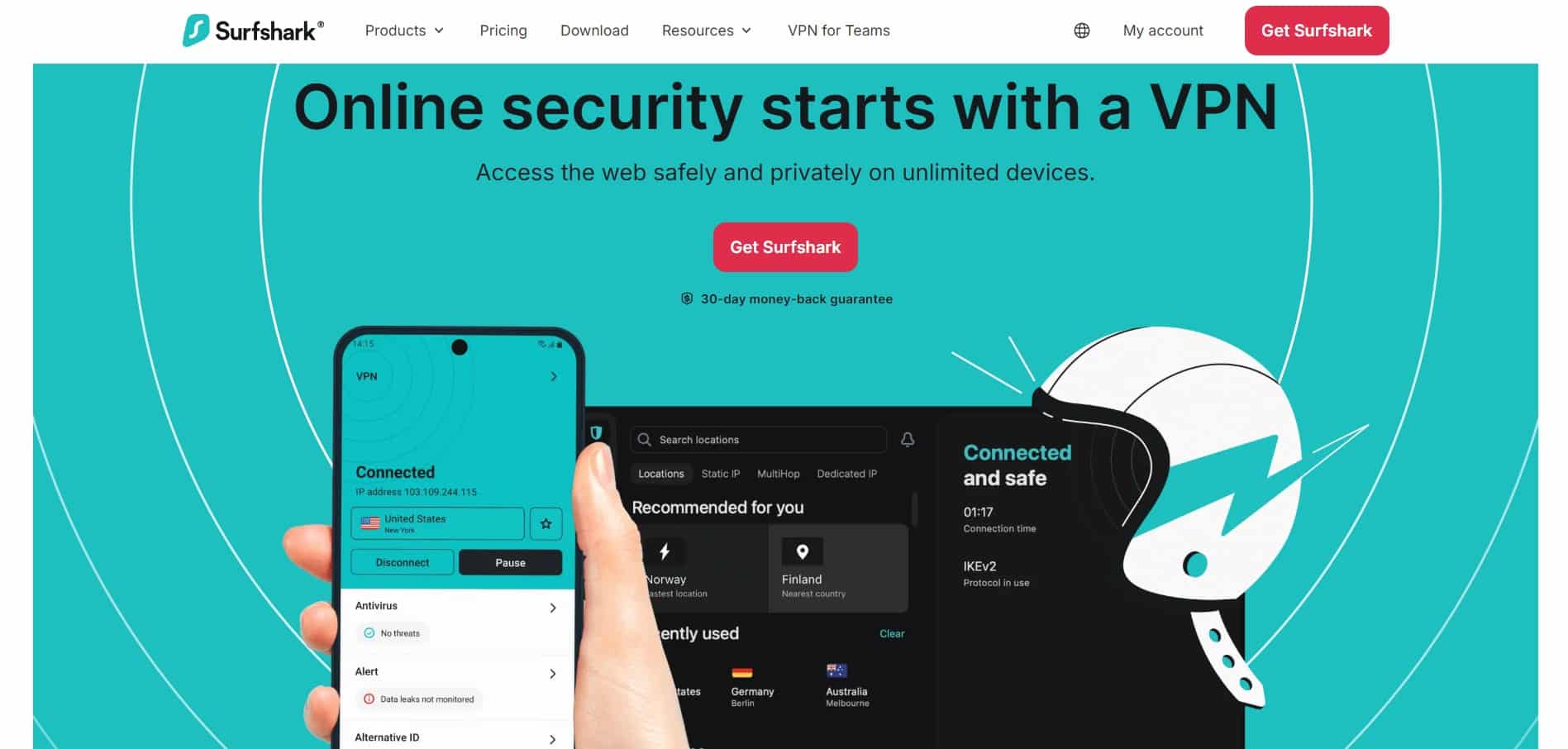
Surfshark is my favorite no-logs VPN for anybody on a budget. It has more than 4,500 servers in 100 countries, all of which run in RAM to prevent data from being written permanently to disk. Its no-logs policy has also been independently verified twice by Deloitte, which means you can completely trust this provider’s privacy claims.
Despite starting at US $2.49, the VPN apps are stacked with privacy features. You get a kill switch, DNS and IPv6 leak protection, Rotating IP, static IP addresses, and NoBorders mode for bypassing restrictive networks. Surfshark also offers obfuscation, which lets you connect on strict work networks and helps conceal VPN use in countries where VPN use is restricted.
Surfshark also represents amazing value. You get unlimited connections, which means you can share your account with friends and family. In my tests, Surfshark slowed my internet by just 3.5% when compared to my baseline. This makes it perfect for streaming, gaming, torrenting, and other data-intensive tasks.
Surfshark is also reliable for streaming on vacation or at work. I used it to access Netflix US, Hulu, Max, Paramount+, BBC iPlayer, and international platforms like 9Now, ARD Mediathek, France.tv, Globo Play, and U-NEXT.
This makes it a fantastic all-rounder for users wanting public wifi security, ISP tracking prevention, secure torrenting without fear of hackers, and everyday access to entertainment and restricted social media.
Apps are available for all popular platforms, and you get a 30-day money-back guarantee. Live chat support is also available at any time of day.
Pros
- No-logs policy independently audited twice
- RAM-only server network
- Unlimited connections
- NoBorders and obfuscation
- Rotating and static IP options
- Excellent streaming access
Cons
- Frequently promotes paid upgrades
BEST BUDGET NO-LOGS VPN:Surfshark gives you an unbelievable feature set for the price. Its audited no-logs policy and RAM-only servers make it easy to trust, while unlimited connections and excellent streaming access make it a fantastic choice for families. 30-day money-back guarantee.
3.ExpressVPN

ExpressVPN is a true veteran in the VPN industry. It has been around since 2009, is based in the British Virgin Islands, and has maintained a rock-solid privacy record throughout that time. This puts it in an exclusive club of consumer VPNs with a clean history of protecting their users’ privacy.
Its no-logs policy, apps, and infrastructure have been independently audited on multiple occasions by KPMG, Cure53, and PwC Switzerland. And its TrustedServer infrastructure runs entirely in RAM, which means no user data is ever written to a hard disk. This means Express can delete all the data passing through any server simply by pulling the plug.
ExpressVPN has one of the clearest and most transparent privacy policies I’ve read. It doesn’t store your source IP address, the servers you connect to, browsing history, DNS requests, connection timestamps, or session duration. Only anonymized, aggregated server data is analyzed to keep the service running smoothly, such as spotting servers that need more capacity, IP addresses, or throughput.
Another leap forward for ExpressVPN is that it is now much more reasonably priced, which was one of my major gripes with ExpressVPN over the years. In 2026, plans start at $2.99 per month, which is outstanding value. Even if you opt for the most expensive Pro plan, you get extras like a dedicated IP. This means that ExpressVPN is sticking to tradition and pushing the boundary of what consumers can expect from a standard subscription.
In terms of performance, ExpressVPN gave me an average speed drop of just 6.9% across the three locations I tested. And it worked smoothly to unblock Netflix US, BBC iPlayer, Paramount+, and TNT Sports whether I was at work, using public wifi, or even while traveling and using in-flight wifi. Those looking for fast speeds will enjoy the Turbo feature it recently added to its Lightway protocol.
Need obfuscation for restrictive networks? The OpenVPN protocol offers it by default, so simply switch to this protocol in the settings menu.
Pros
- Long-standing no-logs record
- TrustedServer RAM-only infrastructure
- Independently audited privacy claims
- Reliable streaming access
- Apps for all platforms
- 24/7 live chat support
Cons
- No port forwarding
- Lacks some protocol customization features
TRUSTED PREMIUM NO-LOGS VPN:ExpressVPN has one of the longest and strongest privacy records on this list. It is reasonably priced, performs extremely well for streaming and everyday use, and its TrustedServer infrastructure helps to protect its no-logs policy in emergencies. 30-day money-back guarantee.
4. Proton VPN

Proton VPN has built its reputation around privacy from day one. Its apps are open source, and its no-logs policy, applications, and infrastructure have undergone five separate audits by experts at Securitum and Schellman.
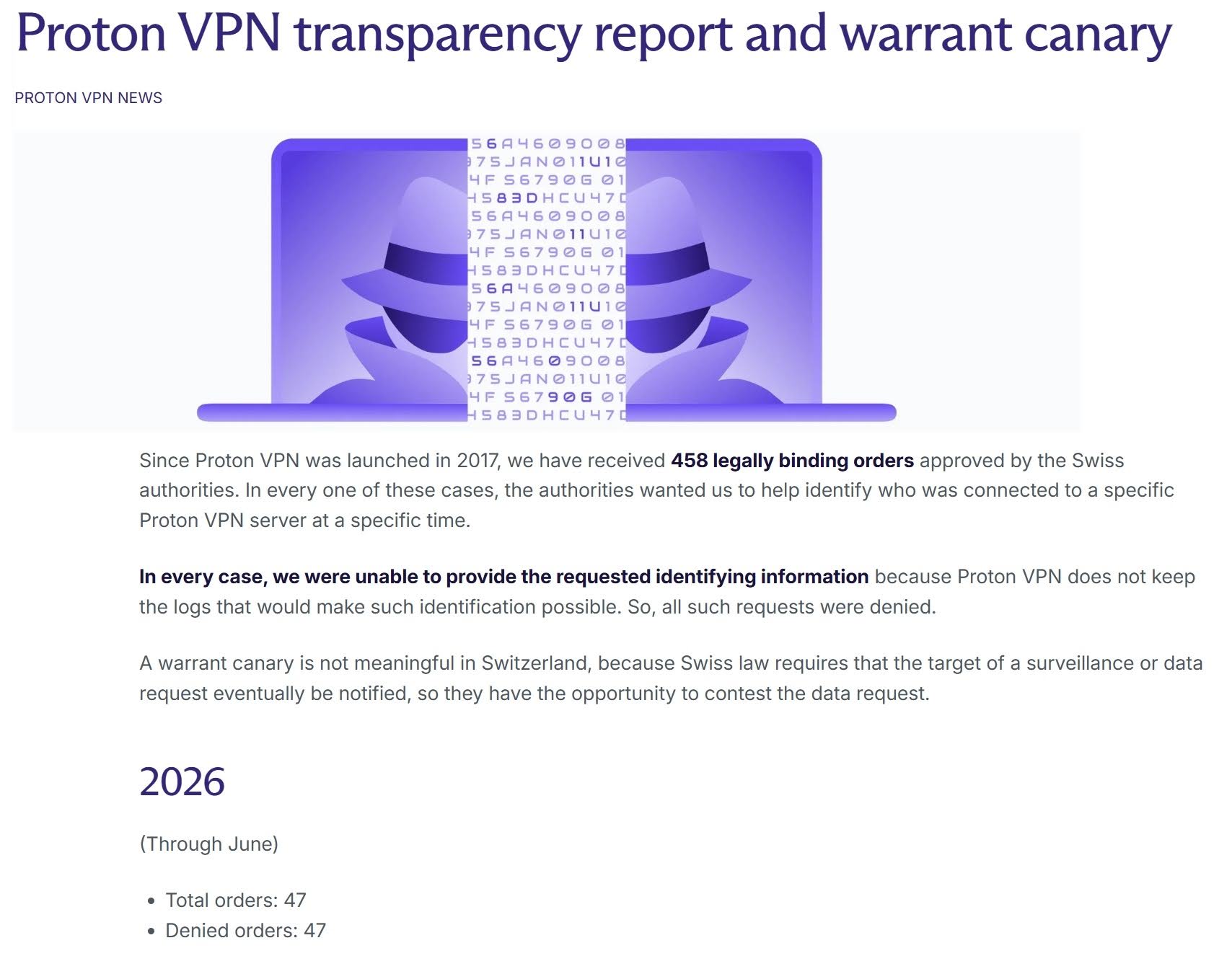
I went over the privacy policy with a fine-tooth comb and found no grey areas. Proton VPN clearly states that it does not keep session usage logs or connection metadata that could compromise your privacy. It also publishes a transparency report and warrant canary, which gives users a way to know if Proton VPN is ever subjected to a government data request.
Proton also gives you Secure Core servers. These optional servers send your data through specially hardened servers located in privacy-friendly countries. For example, its Swedish servers are housed in an underground data center, while its Icelandic servers are located in a former military base. This makes those servers much harder to raid or tamper with.
Proton is also packed with advanced features and settings. You get a kill switch, split tunneling, NetShield, port forwarding, multi-hop, and a custom obfuscation protocol (Stealth) for bypassing VPN blocks and censorship. It also supports Bitcoin payments, which means you can sign up anonymously.
If you want a no-logs VPN for torrenting and you need to stay in good standing by seeding regularly, Proton is my top recommendation. It includes port forwarding and split tunneling. And Proton performs great in terms of speed thanks to its WireGuard protocol and VPN Accelerator technology.
The only caveat is that you will need to pay to get access to all its features. The free plan is cool if you just want to test it or need privacy in a bind, but the free servers are sluggish, cause buffering, and will not work with streaming platforms like Netflix. To stream popular services on vacation or at work, you’ll need a premium subscription.
Pros
- Swiss privacy jurisdiction
- Independently audited no-logs policy
- Port forwarding and split tunneling
- Stealth protocol
- Free no-logs plan available
- Uses full disk encryption for all servers
Cons
- Comes with a slightly longer learning curve than other providers
- Doesn’t use RAM-only servers
BEST FOR ADVANCED PRIVACY:Proton VPN is packed with advanced privacy features you don’t get with many competitors. Secure Core, port forwarding, open-source apps, and its audited no-logs policy make it a great choice for torrenting or sensitive use cases such as bypassing government censorship and engaging in activism. 30-day money-back guarantee.
5. CyberGhost
CyberGhost is my favorite no-logs VPN for beginners. The apps are easy to understand and separate servers by use case, which means you can quickly find one for streaming, gaming, torrenting, or everyday privacy. Streaming servers are even labeled by country and platform, which removes much of the guesswork.
No matter which server type you pick, you are always protected by CyberGhost’s no-logs policy, which has been verified three times by Deloitte. You also get RAM-only servers, AES-256 encryption, leak protection, and an automatic kill switch, which is why this is such a great option for newcomers to VPNs who want to ensure high levels of access and privacy.
In terms of speeds, CyberGhost was great for the price. It dropped my speed by an average of 20.5% across all my server-based tests. This isn’t the fastest VPN on the list, but I had no problem with 4K streaming, playing games, or torrenting. And with plans starting at just $2.19 per month, there is no doubt in my mind that you get more than what you pay for.
Apps are available for all major platforms, and you get a highly generous 45-day money-back guarantee to test it yourself or compare it to any of my other picks. Got any questions? You can contact its 24/7 live chat support.
Pros
- Very easy to use
- Third-party audited no-logs policy
- RAM-only servers
- Labeled streaming and torrenting servers
- Fast enough for 4K streaming
- Low starting price
Cons
- No port forwarding
- Fewer advanced privacy controls than my top picks
BEST ZERO LOGS VPN FOR BEGINNERS:CyberGhost makes subscribing, paying, and using the VPN suitable for beginners. You can pick servers based on use case, with more than 140 streaming servers listed by platform and country. You also get dedicated options for gaming, privacy, torrenting, and other specific use cases. 45-day money-back guarantee.
6. PrivateVPN

PrivateVPN is a trusted provider with a strong no-logs policy and strong control over its infrastructure. It is owned by Miss Group, a large hosting company from Sweden. This gives PrivateVPN complete control over the hardware that carries your data. And being based in Sweden allows it to operate under a strict zero-logs policy.
The apps might not have as many features as Proton VPN or NordVPN, but you do get a surprising amount of settings to customize, considering this VPN costs just $2 per month. The VPN comes with AES-256 encryption, a kill switch, DNS and IPv6 leak protection, and an obfuscation protocol to get connected on strict networks, such as at work.
It is also one of the few VPNs that provides port forwarding. This makes it strong for torrenting because it improves incoming peer connections to seed to peers that couldn’t otherwise initiate a connection.
The main caveat is that PrivateVPN is the slowest VPN on this list. It slowed down my baseline internet by an average of 28%. However, during my tests, it still performed well when streaming, gaming, and torrenting. My other gripe is that it doesn’t yet provide WireGuard in its custom apps. Instead, users who want to use WireGuard (for faster speeds) must connect via the official third-party WireGuard client.
That aside, the VPN is useful, secure, and a pleasure to use. Plus, you get apps for all platforms and round-the-clock live chat support.
Pros
- Strong no-logs policy
- Own infrastructure through Miss Group
- Port forwarding included
- Stealth VPN
- Good for torrenting
- Budget-friendly
Cons
- Slowest VPN on this list
- WireGuard still requires a third-party client
BEST FOR BUDGET TORRENTING:PrivateVPN combines a strong no-logs policy with port forwarding and all the privacy features you expect from a market-leading consumer VPN. It is slower than my other picks, but remains a solid option for torrenters who want port forwarding in a VPN that is good value. 30-day money-back guarantee.
7. Private Internet Access
Private Internet Access has had a decent reputation with privacy-conscious Reddit users for years, largely because its no-logs claims have been proven in the wild. Specifically, PIA was subpoenaed for logs in 2016 and 2017 but had no activity data to provide to US authorities. More recently, its no-logs policy has been audited by Deloitte, confirming its efficacy.
The only real caveat is that PIA is based in America. This is a jurisdiction that many privacy advocates dislike due to the possibility for warrants and gag orders. Past cases prove that PIA stored no logs, but this is not a guarantee of future performance. That said, I have no reason to believe PIA is currently subject to any secret logging requirements, and its transparency reports continue to show that requests for user data result in an inability to comply.
In terms of features, PIA is one of the most customizable VPNs on this list. You get RAM-only servers, open-source apps, WireGuard and OpenVPN, port forwarding, split tunneling, a kill switch, and plenty of control over encryption and connection settings. It also performs well in terms of speed, can provide access to most popular streaming platforms, and has good customer care, with live chat agents available on its website.
Pros
- No-logs claims proven in court
- Independently audited
- Highly customizable apps
- Port forwarding
- Split tunneling
- Open-source apps
Cons
- Based in the US, which is part of the 5/9/14 Eyes Alliances
BEST FOR CUSTOMIZATION:PIA has proven its no-logs policy in court on numerous occasions. However, it is a US-based VPN, which may put some users off. Still, performance is excellent, and this VPN continues to prove itself with audits, transparency reports, and features that put it ahead of most of its competitors. 30-day money-back guarantee.
Methodology: How I tested and ranked the best no-logs VPNs
I tested more than 20 leading VPNs to find providers in strong privacy jurisdictions with robust privacy policies. I went through each privacy policy looking for grey areas that separate a genuine no-logs VPN from providers that make hollow claims. The VPN services I landed on never keep records that could later be used to uncover your activities. This includes connection logs that could enable time correlation attacks. Once I had that shortlist in hand, I continued looking at the other performance and usability features that netizens look for in a quality VPN.
These are the main things I looked for when ranking no-logs VPNs:
- A genuine no-logs policy. I excluded VPNs that store usage logs or connection logs that could be tied back to your activities.
- Independent audits. I prioritized VPNs that have allowed respected third parties to inspect their infrastructure and verify their no-logs claims.
- Strong privacy jurisdiction. VPNs based in privacy-friendly countries get extra points, particularly if local laws do not impose invasive data-retention requirements.
- Watertight security. I checked encryption, VPN protocols, kill switches, and DNS, IP, and WebRTC leak protection.
- Privacy-focused infrastructure. RAM-only servers, multi-hop connections, obfuscation, and quantum-resistant encryption all earned additional points.
- Anonymous payment options. Paying using Bitcoin or another cryptocurrency can reduce the personal information linked to your VPN subscription.
- Fast and reliable performance. I tested speeds to ensure that added privacy does not make the VPN frustrating to use for everyday browsing.
- Streaming and torrenting. I checked each VPN’s ability to access popular streams and torrent anonymously without excessive speed loss.
- Censorship and VoIP access. I tested whether the VPN can bypass network restrictions and make VoIP calls in countries that block them.
- Value for money. I compared privacy, features, performance, connection allowances, and price to ensure that each VPN offers enough for what it costs.
Want to know more about my testing process? Check out our detailed methodology page.
Can I get a free zero-log VPN?
Yes, but there are some serious caveats and considerations. Many of the free VPNs advertised in popular app stores like Google Play have invasive policies. These VPNs create a revenue stream by harvesting, analyzing, and selling user data. If you install one of these VPNs, all of your activity will be logged, used for profiling purposes, and sold to third parties such as marketing companies and data brokers. To make things worse, many free VPNs lack encryption and suffer from leaks. This means that in addition to selling you out to the highest bidder, the VPN is failing to hide your activities from local networks, ISPs, government snoops, or hackers on public wifi.
Now for the good news. A few market-leading VPNs make it part of their core mission to give netizens privacy and freedom of access during blackouts, protests, and other times of need. These VPNs offer a limited free VPN, which anybody can use to encrypt their connection to the internet.
Here are the free VPNs you can trust to keep no logs:
- Proton VPN Free: Best overall free no-logs VPN. You get unlimited data, but free users are limited to a smaller server selection and miss premium features like Secure Core, port forwarding, and streaming support.
- Windscribe Free: A strong free option with servers in several countries. The main limitation is the 10 GB monthly data allowance, which makes it better for browsing and occasional use. No access to popular streaming platforms without an upgrade.
- hide.me Free: A trustworthy no-logs VPN with access to a smaller selection of free servers. Fewer features than the premium plan and no access to streaming platforms.
- TunnelBear Free: Easy to use and protected by the same privacy policy as the paid service. However, you only get 2 GB of data per month, which is very limited.
Note: These free VPN plans come from quality providers and offer the same level of encryption and no-logging promises as their paid counterparts. This means you can trust them to keep your activities private and never share your browsing data with third parties. Just bear in mind that the free plans are always limited when compared to the paid services. They restrict access to popular streaming services and impose bandwidth and usage limits to encourage you to upgrade to a paid plan.
As a result, the free VPNs listed are best used for things like bypassing social media blocks, reading censored news articles, protecting yourself on public Wi-Fi, and preventing your ISP or local networks from tracking your web visits.
Do I need a no-logs VPN to unblock geo-restricted content?
A no-logs VPN isn’t necessary to access geo-restricted content. If you’re using a VPN to stream Netflix or another service on vacation or at work, you aren’t doing something that needs long-term privacy. This means that a VPN with strong encryption is sufficient. It would spoof your location, giving you access to the restricted platform, while preventing the local network from knowing that you are streaming. Even if somebody uncovered your Netflix access later, it is unlikely to affect you because you were simply accessing a service you already pay for.
That said, I still recommend getting a no-logs VPN. Think about it: if you’re paying for a VPN anyway, it makes little sense to choose a service that logs your activities. A good VPN for streaming that is also strong on privacy gives you more flexibility, because it ensures you get watertight privacy whenever you genuinely need it.
The no-logs VPNs in this guide give you the best of both worlds – fast streaming servers around the world, strong encryption, and a no-logs policy. This ensures you get the best value for money from your VPN plan.
What information does a no-logs VPN collect?
A no-logs VPN can still keep basic account information, such as your email address, payment details, or subscription status. What matters is that it does not keep records that connect you to what you do while using the VPN.
This means it should not store things like your browsing history, DNS requests, source IP address, assigned VPN IP address, or connection timestamps that could later be used to identify your activity.
Some VPNs go even further by using RAM-only servers, which do not store data permanently on a hard drive. This reduces the amount of information that could be recovered if a server is seized.
Is it legal to use a no-logs VPN?
Yes. VPNs are legal in most countries, including the US, Canada, the UK, Australia, and most of Europe. Using a no-logs VPN for privacy, streaming, torrenting, or accessing your usual services while traveling is legal in these and most other jurisdictions.
That said, the important thing to remember is that a VPN does not make it legal to engage in criminal activities. You are still responsible for following the laws in your location and the terms of the services or platforms you use.
It is also important to remember that some countries ban or heavily restrict VPN use, including places such as Belarus, North Korea, Oman, Turkmenistan, China, and Russia. If you are traveling to one of these countries, using a VPN for some purposes, such as bypassing government blocks, could be illegal. This makes it important to check local laws before using a VPN to make VoIP calls or bypass other blocks.
Note: I am not an attorney, and nothing in this guide should be taken as legal advice. Always do your own research before using a VPN.
Best zero-logs VPNs: FAQs
Do any VPNs accept cash payments?
Internet users looking for the highest levels of privacy often want to pay for their VPN without revealing their identity. This means avoiding payment methods such as debit or credit cards that are directly linked to you.
A few of the VPNs on this list accept Bitcoin or other cryptocurrencies, which means you can pay without supplying your mainstream payment details. Combined with a fake name and burner email, this can significantly reduce the personal information linked to your VPN subscription.
Unfortunately, none of the VPNs I have recommended accept cash payments through the post. However, Mullvad VPN does. If paying by cash is important to you, this VPN is worth considering. It is a no-logs VPN with strong encryption and an excellent privacy reputation, but it is a bit expensive for what you get compared to my top picks.
How does a no-logs VPN protect against server seizures?
A no-logs VPN ensures that even if a VPN server is raided or seized, there is no historical data to analyze. This protects users by limiting what data is available to government agents during the raid.
That said, it is important to understand that a seized server could have its data monitored in real time from the moment it is seized. This could allow investigators to see what you are doing in real time. This is why many leading VPNs have also begun implementing diskless servers. These RAM-only servers allow the provider to pull the plug and wipe the server before it is taken.
What is the difference between connection logs and usage logs?
A usage log is a record of the websites you visit while connected to the VPN. These are the most dangerous logs because they can be used to uncover your browsing history. Usage logs include websites visited, DNS requests, and other browsing activity.
Connection logs are less invasive. They cover things like your source IP address, VPN IP address, connection times, and session duration. However, connection logs can still be used to trace activities back to you using a correlation attack. This works by comparing when you connect to a VPN with activity taking place through its servers at the same time.
The VPNs in this guide do not retain connection or usage logs that can be used to trace your activities back to you.
Does a no-logs VPN make me anonymous?
No. It is a common misconception that VPNs provide anonymity when, in reality, they are designed to give you privacy. When you use a VPN, it hides your real IP address, which prevents websites from using it to track your location. However, websites can still identify you depending on how you use their services.
For example, using a VPN will not make you anonymous on Facebook if you log in. Websites may also be able to identify you through cookies, browser fingerprinting, or information you provide directly.
This makes it essential to use a no-logs VPN alongside good browser privacy practices and script-blocking extensions, while avoiding logging into any accounts linked to your identity.
How can I tell if a VPN really keeps no logs?
The only way to check whether a VPN keeps no logs is to carefully read its privacy policy. However, it is important to read the policy in full, because many VPNs claim to be no-logs VPNs in the introduction, only to introduce grey areas or clauses later that allow data collection or sharing with partners and affiliates.
Checking the VPN's track record can also help shed light on its actual practices, including whether it has complied with legal requests in the past in ways that call the legitimacy of its no-logs policy into question.
Contents [hide]
- How to set up a no-logs VPN
- Best zero-logs VPNs: Reviews
- 1.NordVPN
- 2. Surfshark
- 3.ExpressVPN
- 4. Proton VPN
- 5. CyberGhost
- 6. PrivateVPN
- 7. Private Internet Access
- Methodology: How I tested and ranked the best no-logs VPNs
- Can I get a free zero-log VPN?
- Do I need a no-logs VPN to unblock geo-restricted content?
- What information does a no-logs VPN collect?
- Is it legal to use a no-logs VPN?
- Best zero-logs VPNs: FAQs
- Do any VPNs accept cash payments?
- How does a no-logs VPN protect against server seizures?
- What is the difference between connection logs and usage logs?
- Does a no-logs VPN make me anonymous?
- How can I tell if a VPN really keeps no logs?