Want to watch Sky Go abroad? A VPN for Sky Go can change your IP address to the UK, letting you stream your usual content while on holiday. A VPN also provides privacy, so you can watch Premier League games at work without anyone knowing.
Keep reading to see the best VPNs to watch Sky Go abroad and a step-by-step guide to using them, including troubleshooting tips in case Sky Go isn’t working with your VPN.
What are the best VPNs for Sky Go:
- NordVPN: The best Sky Go VPN. Fast UK servers, reliable Sky Go access, strong privacy features, and obfuscation for restricted networks. Has a 30-day money-back guarantee.
- Surfshark: The best budget VPN for Sky Go. Unlimited devices, fast WireGuard speeds, strong streaming access, and an independently audited no-logs policy. GPS Override on Android matches your device’s GPS location to the VPN.
- ExpressVPN: Fast Lightway connections, strong encryption, and reliable UK servers. Easy to use for Sky Go and other British streaming services.
- Proton VPN: Great for advanced users. Open-source apps, Secure Core, Stealth obfuscation, port forwarding, and strong privacy. Also works with Sky Go abroad.
- CyberGhost: Excellent for beginners who want simple apps and labeled streaming servers that make it easier to find the one you need. Fast WireGuard connections and reliable UK streaming on iPlayer, TNT Sports, Discovery+, ITVX, and more.
- Total VPN: Straightforward apps for streaming Sky Go abroad and gaining extra privacy. Has UK servers in London and Manchester, and comes bundled for free with a trusted antivirus, making it perfect on a budget.
Scroll down for more detailed reviews of each provider, plus an explanation of how I tested and ranked these VPNs.
How do you use a VPN with Sky Go?
I understand that using a VPN can feel a bit daunting for newbies. However, using a VPN to watch Sky Go on holiday, while traveling for work, or even on restricted Wi-Fi in the UK is much easier than you might think.
Here are the steps needed to set up a VPN for Sky Go:
- Pick a VPN that works with Sky Go. NordVPN is my top recommendation; it’s a fantastic all-rounder with plenty of fast servers in Britain and Ireland. Surfshark is an excellent budget-friendly alternative.
- Sign up for the VPN. Use the links in this guide to get a discount that works alongside each provider’s money-back guarantee, so you can be sure you’re getting the best deal.
- Download and install the VPN app. My recommendations have apps for Windows, macOS, Android, iOS, and other popular devices. This makes it easy to unblock Sky Go privately, no matter what device you are using.
- Connect to a UK server. This gives you a British IP address and makes Sky Go think you are back home, sat on the sofa with a nice cup of tea.
- Open the Sky Go app and start streaming. That’s it! You should now be able to stream Sky Go live TV and on-demand content without errors.
Still seeing a Sky Go VPN error? Head to the troubleshooting section below.
Sky Go not working with VPN? Try these fixes
Even with a quality VPN, you can still run into issues. Luckily, you can usually fix these by following the troubleshooting steps below.
Quick VPN fixes for Sky Go
- Reconnect to your UK VPN server. Premium VPNs often have pools of IP addresses available to you on each server. Disconnecting and reconnecting to the same UK server may give you a fresh UK IP that Sky has not blocked.
- Try another UK or Irish server. If reconnecting doesn’t help, switch to a different location. The VPNs I tested have options in places like London, Manchester, Docklands, and Dublin. Choose another location or server until you find one that works.
- Switch VPN protocol. Try WireGuard, OpenVPN, or Automatic. If your VPN has a custom protocol such as NordLynx, Lightway, Stealth, or Hydra, test that too.
- Check for IP and DNS leaks. If your real IP, ISP DNS, or WebRTC data appears in leak tests, Sky may be able to see your real location, leading to conflicts. All the VPNs I tested were free of these types of leaks, but it is still a good idea to check on your device to see whether you are having a device-specific leak problem.
- Contact VPN support. Ask which server is currently working with Sky Go. The best VPNs monitor streaming access closely and will usually know which server works best.
Fix Sky Go app and location conflicts
Unlike streaming platforms like Netflix and Prime Video, Sky Go does not have a player built into its website. Instead, you need to use the Sky Go app for mobile or desktop, and dedicated apps can track your location using more than just an IP address. App cache, previous locations, and device-level signals such as GPS can all cause conflicts with your VPN.
Try these fixes:
- Clear the Sky Go app cache. Old location information stored by the app can conflict with your VPN. Android users can clear the app cache in Settings. If you want to clear everything easily, consider reinstalling Sky Go to clear stored app data.
- Check your device location settings. Sky Go can use device-level location data on mobile and desktop. You may need to disable or change these location signals to resolve conflicts. On mobile, GPS checks are most common. On desktop, OS-level signals like system time zone, system language, and region settings are more likely to be to blame.
- Match your GPS location to the VPN. On Android, use Surfshark’s GPS Override feature, or install a trusted GPS spoofing app from Google Play, enable Developer options, select it under Mock location app, then set the GPS location to match your UK VPN server.
On iPhone/iPad, the simplest option is to turn Precise Location off for Sky Go via Settings > Sky Go > Location. - Try another device. If mobile location checks keep causing problems, try Sky Go on a Windows PC or Mac instead. You may need to align your desktop location signals with the VPN.
- Update Sky Go and your VPN. If you have an older version of either app, it could cause connection problems or leave you using outdated server information.
- Restart your device. If you recently installed the VPN, some drivers or connection settings may require a restart to fully apply. Restarting can also help to clear old app state and location settings.
Using a VPN other than the ones recommended in this guide? Feel free to try the tips and tricks above, but if it still doesn’t work, your VPN has likely been blocked by Sky, and you will need to switch to one of my fully tested VPNs for Sky Go.
Best VPNs for Sky Go: Fully validated
I tested more than 20 market-leading consumer VPNs to find providers with access to British TV platforms and reliable streaming performance.
Here are the best Sky Go VPNs for watching live sports and on-demand TV:
1. NordVPN
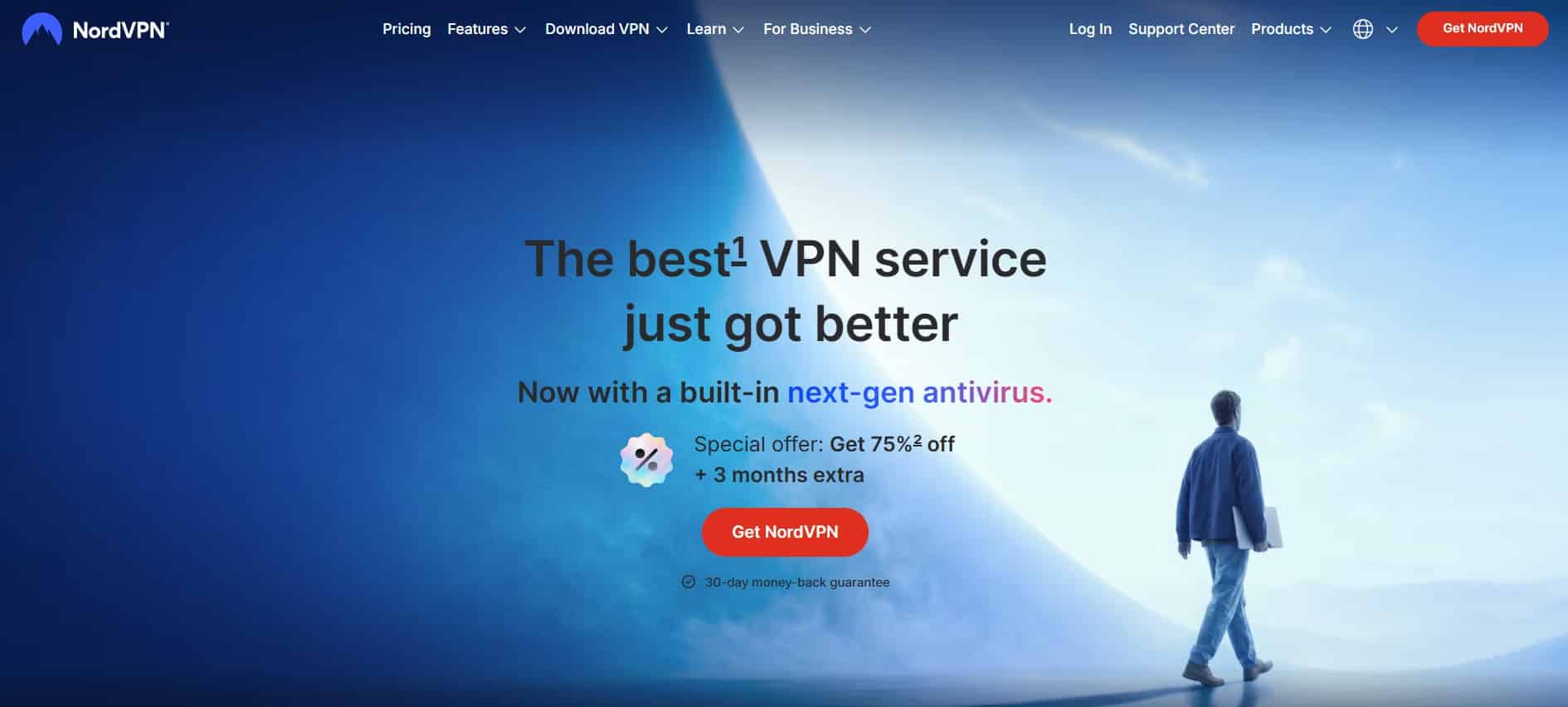
NordVPN is my top recommended VPN for Sky Go. It has a wide choice of UK servers, and I could watch Sky Go easily once I set my other settings correctly (on Android using GPS Joystick by The App Ninjas). With GPS spoofing enabled, Nord worked to stream live TV and sports without buffering or pixelation issues. Although some Redditors and even VPN reviewers claim that no UK Nord servers work, I had success using the London, Manchester, and Dublin servers. I suspect those others failed to ensure that their time zone and GPS all matched the VPN IP.
I ran my tests using the NordLynx protocol, which kept my internet within 20% of my baseline speed. It also has all the privacy features you need to unblock Sky Go at work. You get a kill switch, leak protection, split tunneling (Windows and Android only), and an independently audited no-logs policy. It also includes obfuscated servers to help get you connected on networks that block ports associated with VPNs.
NordVPN has apps for all devices, 24/7 live chat is available if you need help, and you can test the VPN for 30 days to make up your mind completely risk-free.
Pros
- Works consistently with Sky Go
- Choice of UK server locations
- Fast NordLynx performance within 20% of my baseline speed
- Strong privacy features for streaming at work
- Obfuscated servers for restrictive networks
- 30-day money-back guarantee
Cons
- Live chat customer support is harder to find than it used to be
BEST VPN FOR SKY GO:NordVPN is the best all-around VPN for streaming Sky Go, privacy, security and speed. This VPN is also excellent for accessing other UK services like BBC iPlayer, Netflix UK, and even US services. Safe enough to unblock TV streams at work without being tracked. 30-day money-back guarantee allows you to test it risk-free.
2. Surfshark
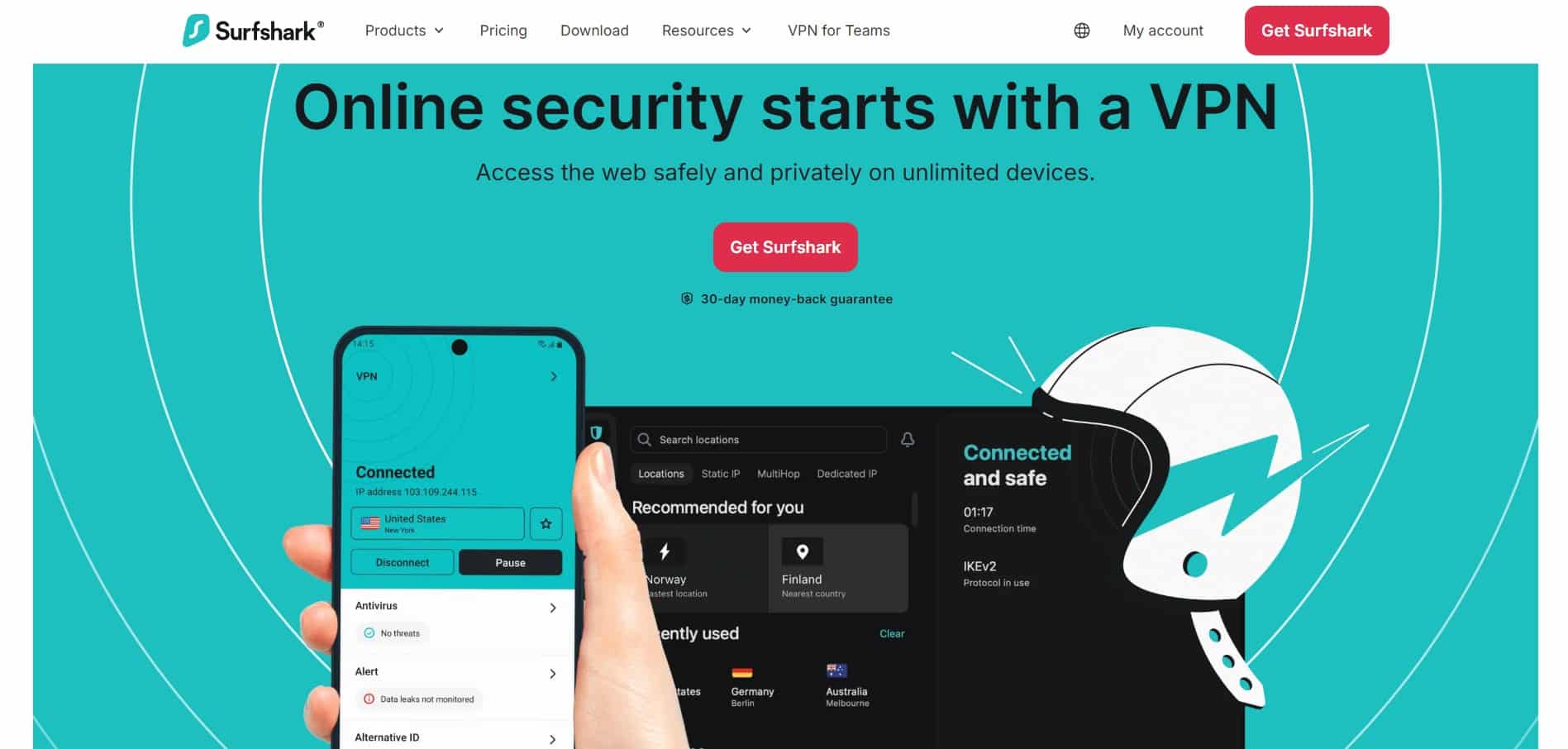
Surfshark is one of my favorite VPNs, and I often recommend it to friends and family due to its low price point and unlimited device allowance. People are often shocked that they can share their VPN with as many friends and family as they want for just £1.99.
Comes with servers in London, Manchester, Glasgow, Edinburgh, and Ireland, which gave me plenty of options to stream Sky Go from Canada. It worked on Android and Windows during my tests. iOS also worked once I disabled Precise Location.
Surfshark includes an automated GPS Override feature that links your GPS location to the VPN server’s IP address. The result? Surfshark worked to watch Sky Go on Android right out of the box, with no need for a third-party GPS spoofing app.
I stuck to WireGuard throughout my testing, and Surfshark gave me fast enough speeds to stream Sky Sports without buffering. Despite its affordability, you still get a kill switch, leak protection, split tunneling, obfuscation, and an independently audited no-logs policy, so you can use it to unblock Premier League games at work or school without being tracked.
Pros
- GPS Override makes Sky Go easy to set up on Android
- Worked on Android, Windows, and iOS in my tests
- Unlimited simultaneous connections
- Fast WireGuard speeds for live sports
- Strong privacy and leak protection
- Very affordable
Cons
- GPS Override is only available on Android
- Lowest price requires a longer subscription
BEST VPN FOR SKY GO ON ANDROID:Surfshark' GPS Override feature makes it easy to access Sky Go on Android, though it also worked across the devices I tested. Multiple UK locations. Works with a massive range of streaming services across the UK, USA, Canada, Australia, the EU, and further afield, such as Brazil and Japan. Great value thanks to unlimited simultaneous connections and a 30-day money-back guarantee.
3. ExpressVPN

ExpressVPN is worth considering if you primarily watch Sky Go on a Windows PC. Redditors who complain about getting Sky Go working with other VPNs often seem to have better luck with ExpressVPN, and that matched my own Windows testing.
I tested ExpressVPN using Lightway, and it gave me superb HD streaming with very little buffering. It’s also a workhorse for accessing other UK streams (and US services), and it allows torrenting, which is great. Just bear in mind that you don’t get port forwarding.
To protect against tracking and let you stream safely at work, Express gives you a kill switch, leak protection, obfuscation, and an audited no-logs policy for extra privacy at work or on public wifi. I tested for leaks and crashed the kill switch (it is system-level, which is my favorite kind), which confirmed the VPN worked as advertised.
Yes, ExpressVPN used to be a touch pricey, but that is no longer the case since they introduced tiered pricing. The basic plan gives you access to the fully featured VPN with no limitations, so you get the VPN that used to cost £5+ for just £2.19 per month. There is a 30-day money-back guarantee so you can test it for yourself risk-free.
Pros
- Independently audited no-logs policy
- Apps for Windows, macOS, Android, iOS, Linux, Fire TV, and Apple TV
- RAM-only TrustedServer infrastructure
- Threat Manager blocks trackers and malicious domains
- Split tunneling on supported platforms
- Tiered pricing
Cons
- No port forwarding
- Few advanced customization options
ROBUST AND RELIABLE:ExpressVPN has a strong reputation for privacy and accessibility. Excellent at accessing geo-blocked streaming platforms, such as Sky Go, Netflix, and TNT Sports. Seamless HD streaming and a free smart DNS service. 30-day money-back guarantee.
4. Proton VPN

Proton VPN is the ideal choice for advanced users who want more control over their privacy alongside streaming. It has servers that work for streaming British TV services, including Sky Go and BBC iPlayer, and it really stands out for torrenting. You get split tunneling and port forwarding, which are major advantages if you want one VPN for Sky Go and file sharing.
Unfortunately, Proton no longer lists dedicated streaming servers, so you have to test them manually, which can take a little time. However, in my tests, it worked to watch Sky Go via the London server. Streaming speeds were superb, and the VPN Accelerator feature lifts the needle a little, though don’t expect miracles over regular WireGuard speeds.
Proton’s free plan is awesome for gaining online privacy, but it won’t work to watch Sky Go or other UK TV services: you need to upgrade for streaming. The good news? The paid plan is impressively priced whether you want to keep it long term or just need a VPN for a short trip, thanks to its cheap one-month option. Comes with excellent security and privacy features, a proven no-logs policy, and a 30-day money-back guarantee.
Pros
- Open-source apps that anybody can check
- Secure Core routes traffic through privacy-friendly jurisdictions
- Stealth protocol helps on restrictive networks and in censorship-heavy countries
- Independently audited no-logs policy
- Apps for Windows, macOS, Linux, Android, iOS, Android TV, and more
- Based in Switzerland, with strong privacy protections
Cons
- Not every server works with every streaming platform
- Advanced features may feel like overkill for normal home users
EXCELLENT FOR TORRENTING:Proton VPN is secure and private for torrenting and accessing Sky Go at work or abroad. It comes with many advanced features, including Secure Core servers for highly sensitive use cases, robust censorship resistance, and open-source apps. Much more affordable than in previous years, which gets it a big gold star on my chart! 30-day money-back guarantee.
5. CyberGhost
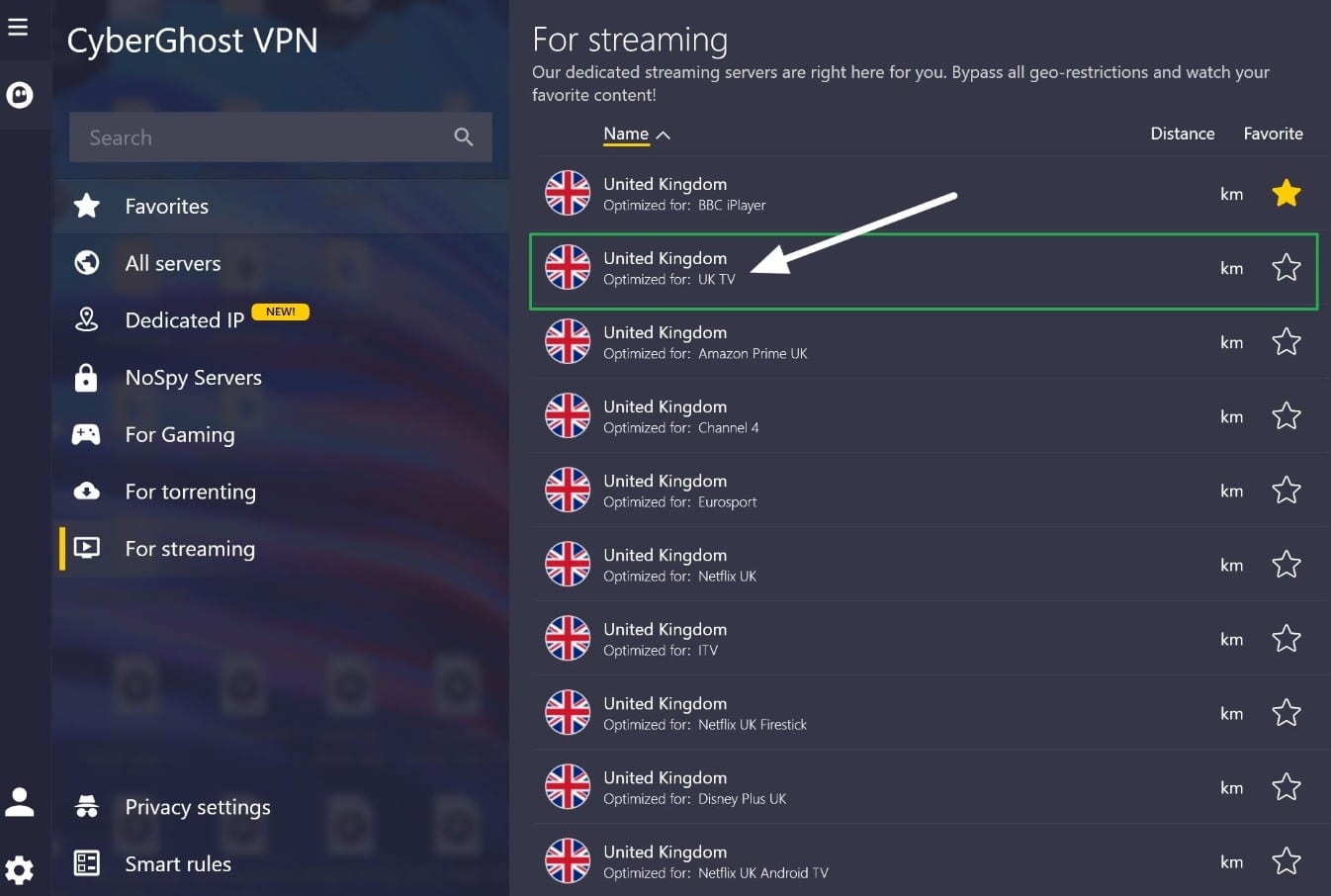
CyberGhost is a great choice for beginners because it lists streaming servers by country and platform. This means you can launch the app, select streaming, and scroll down to the UK. The main caveat? CyberGhost does not have a dedicated server for Sky Go specifically. Instead, it has a server for NOW TV, which is Sky-adjacent, and a server listed for UK TV in general. (I tested the regular, non-streaming-specific UK servers, and they also worked to watch Sky Go, iPlayer, and other platforms, so don’t be afraid to test these too).
The apps are designed for non-techy home broadband users. In addition to streaming servers, you get labeled servers for gaming, torrenting, and privacy. The main drawback is that you don’t get many advanced controls. However, if a low-cost VPN with strong privacy is what you’re looking for, this VPN will be very appealing.
You get an automatic kill switch, DNS and IP leak protection, split tunneling, and an independently audited no-logs policy. This makes it suitable to watch Sky Go at work without being tracked. WireGuard gave me fast enough speeds to stream in HD, and it allows 7 simultaneous connections, which is usually enough for most people.
24/7 live chat is available if you need help finding a working server, and the 45-day money-back guarantee gives you plenty of time to test it yourself.
Pros
- NoSpy servers are operated directly by CyberGhost for extra privacy
- Apps for Windows, macOS, Linux, Android, iOS, Fire TV, and Android TV
- Smart Rules can automatically launch the VPN with specific apps or networks
- Dedicated IP addresses are available as an optional extra
- Based in privacy-friendly Romania
- Large international server network for accessing services outside the UK
Cons
- No port forwarding
- Few advanced configuration options
BEGINNER-FRIENDLY VPN:CyberGhost is my recommendation for ease of use. Its clearly labeled streaming servers make it easier to find the server you need. Strong privacy also means you can unblock Sky Go at work or in school without anybody knowing. Comes with a generous 45-day money-back guarantee.
6. Total VPN

Total VPN is really here for people on a very tight budget who also need antivirus protection. It comes bundled with TotalAV Internet Security, which regularly has a huge introductory discount. At the time of writing, TotalAV has a special deal that gets you the VPN with 80% off. This reduces the cost for the antivirus and the VPN to just £29 for the first year (auto-renews at £99, so be sure to cancel).

I tested the UK servers and found Total VPN worked to watch Sky Go on the London server. The only real drawback is that this VPN is very simple and very low on features. The encryption is solid, and you do get a kill switch (you can control it in the antivirus app only, so bear that in mind) and a no-logs policy. If all you need is a cheap way to get antivirus protection and unblock Sky Go, then it is definitely worth testing using the 30-day money-back guarantee.
Pros
- Bundled with TotalAV Internet Security
- Includes malware and phishing protection
- Apps for Windows, macOS, Android, and iOS
- Uses AES-256 encryption
- Hydra protocol includes obfuscation
- You can get the antivirus and VPN for £29 in year one
Cons
- Very basic compared with the other VPNs in this guide
- No split tunneling or port forwarding
- Renewal price jumps significantly after the first year
VPN WITH ANTIVIRUS:Total VPN comes bundled with antivirus protection. It worked to watch UK TV platforms on the London server in my tests, and at £29 for the first year, this antivirus and VPN combo is a no-brainer. Just bear in mind that you don’t get any advanced features or customization. But you do get a 30-day money-back guarantee.
Methodology: How I picked the best VPNs for Sky Go
Here is what I looked for when comparing and ranking the VPNs in this list:
- Works with Sky Go using UK and Irish servers to access live TV and on-demand content. Plus, reliable access to other British streaming platforms, including BBC iPlayer, ITVX, and Netflix UK.
- Fast server speeds for HD streaming without buffering or pixelation. I used home broadband with the Ookla app and tested multiple times a day to pick providers with decent performance regardless of the hour.
- Plenty of UK server and IP options if Sky blocks a specific VPN address.
- Reliable encryption, a VPN kill switch, DNS leak protection, and a no-logs policy. I read the policies to make sure they don’t have grey areas, and I gave extra points to VPNs that completed a full third-party audit.
- Secure protocols such as WireGuard, OpenVPN, NordLynx, Lightway, or Stealth.
- Apps for popular devices, including Windows, macOS, Android, and iOS.
- GPS spoofing or location-control options that make Sky Go easier to access on mobile.
- Obfuscation or stealth features for accessing Sky Go on restrictive work, school, hotel, and public wifi networks.
- Easy-to-use apps and responsive live chat support.
- Useful extras such as split tunneling, port forwarding, torrenting support, or antivirus protection.
- Decent value for money compared with the performance and features you get, and a money-back guarantee that lets you test the VPN with Sky Go risk-free.
To learn more about how I test and rate VPNs, check out our full testing methodology page.
Can I use a free VPN for Sky Go?
No. I tested free VPN plans offered by trusted VPN brands like Proton VPN Free, Hotspot Shield, TunnelBear Free, and Windscribe with no success. These free VPNs either lacked UK servers altogether, the UK IP address was already blocked by Sky Go, or the UK server had been set not to provide access to British streaming services. This deliberate limitation ensures users have to upgrade to a paid plan for streaming access.
Trusted VPN providers offer their basic free plan as a privacy tool. The idea is to let people gain privacy on public wifi, escape local censorship, or stop their ISPs from being able to track their activities. This allows people to gain privacy and escape censorship when they need to, free of charge. Access to streaming platforms is not considered an essential privacy service, which is why it is reserved for users who upgrade.
Are free VPNs safe to use for Sky Go?
I understand that free VPNs are tempting, but it is important to consider the possible ramifications. App stores like Google Play are full of free VPNs, many based in countries like China with invasive privacy policies. These free VPNs create revenue by collecting user data, serving ads, or building profiles based on browsing behavior. This is the opposite of what a VPN is supposed to do, which is to give you online privacy.
Multiple studies have revealed that free VPNs often lack proper encryption and suffer from leaks that allow local networks, ISPs, government snoops, and other eavesdroppers to see what you are doing online. This means that using the VPN gives you a completely false sense of privacy and security.
If money is tight, I recommend testing one of the cheaper VPNs I recommended in this guide or making the most of the money-back guarantee. This will give you one month of access to Sky Go with reliable privacy and data security you can count on, and if you’re not 100% happy with the performance, you can request a refund.
How to watch Sky Go abroad: FAQs
Is it illegal to access Sky Go with a VPN?
No. Using a VPN with Sky Go is not illegal, and I don’t know of anybody who has ever faced legal consequences for streaming Sky Go abroad or at work. That said, streaming outside Sky’s officially licensed region technically breaches its terms of service. This means Sky reserves the right to terminate your account for VPN use. In practice, Sky spends time and effort blocking IP addresses associated with VPNs rather than terminating accounts. This helps ensure you remain a paying customer.
Can I use Smart DNS to unblock Sky Go?
No. Streaming services have become much better at detecting and blocking IP addresses associated with proxies and VPNs. Smart DNS services often rely on fixed routing infrastructure, which means they are usually the first to lose access.
While it is true that some of the VPNs I have recommended also offer a high-quality Smart DNS service at no extra cost, claims that this will work to watch Sky Go UK are largely false. Many reviewers claim this will work, but what they fail to understand (and to test for) is that the Smart DNS services are often US-centric and designed to work with platforms like Netflix US, Hulu, HBO Max, and other supported US streaming services.
Can I use a VPN to stream Premier League matches on Sky Go?
Yes. If your Sky package includes Sky Sports, a VPN can help you access your usual Premier League streams while abroad, or on restricted networks within Britain, such as at work. UK blackout rules still apply, and some matches are shown on TNT Sports, so Sky Go does not broadcast every game of the Premier League season.
Contents [hide]
- How do you use a VPN with Sky Go?
- Sky Go not working with VPN? Try these fixes
- Best VPNs for Sky Go: Fully validated
- 1. NordVPN
- 2. Surfshark
- 3. ExpressVPN
- 4. Proton VPN
- 5. CyberGhost
- 6. Total VPN
- Methodology: How I picked the best VPNs for Sky Go
- Can I use a free VPN for Sky Go?
- How to watch Sky Go abroad: FAQs
- Is it illegal to access Sky Go with a VPN?
- Can I use Smart DNS to unblock Sky Go?
- Can I use a VPN to stream Premier League matches on Sky Go?