
You can watch RTÉ Player from anywhere with a VPN. Sign up for a provider that can unblock RTÉ abroad, download the app on your device(s), connect to an Irish VPN server, and visit the RTÉ site to access your favorite live content.
You may need to clear your browser data first, or use a different server in Ireland if the one you’re using doesn’t work. If you have an Irish SIM card, you can also try mobile data or set up a mobile hotspot. Keep an eye out on your data usage and roaming charges, though.
Below, we’ll explain how to access RTE Player abroad step by step, offer some VPN recommendations, and share troubleshooting tips.
How to watch RTE Player from abroad with a VPN
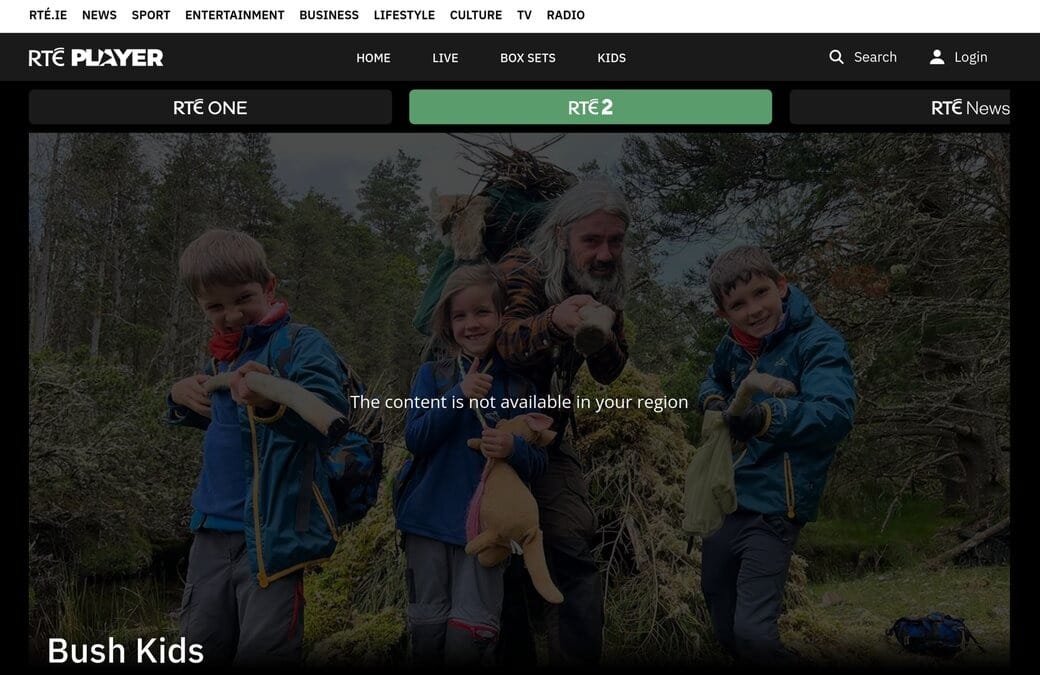
Some limited RTE content works just fine overseas, even without a VPN. However, if you want to watch live TV or keep up with your favorite teams on holiday, you may encounter a classic “The content is not available in your region” error.
Here’s how to watch RTE Player abroad with a VPN:
- Subscribe to a reliable VPN that works on RTE. My top pick is NordVPN, a really fast option with Irish servers and great unblocking capabilities. Surfshark also works well if you prefer a cheaper option that lets you use unlimited devices simultaneously.
- Download the VPN on your preferred streaming device.
- Open the VPN and connect to an Irish server. With an Irish IP address, RTE Player will believe you’re physically in the country.
- Access RTE Player and start streaming your favorite shows.
You may have to clear your browser cookies (or use a private browser window) if you’ve already accessed RTE Player internationally. Old browser data may give away your true location even while a VPN is active.
Can I watch RTE Player with a free VPN?
To our knowledge, no reputable free VPNs have servers in Ireland. As such, streaming RTE Player abroad generally requires a paid VPN plan.
Even if you find a free VPN with Irish servers, many cap your monthly data, offer slow speeds, and use intrusive data-logging policies. Not really worth the hassle just to stream GAA matches or The Late Late Show.
If another subscription isn’t in the budget, a free trial VPN gives you the benefits of a premium VPN, including the ability to watch RTE from abroad.
VPN not working with RTE Player? Try these fixes
RTE Player is one of the easier streaming platforms to access from abroad, though it can occasionally be a little finicky. If you’re running into geo-block errors even with a VPN, here’s what you can do:
- Watch RTE Player through your browser: If you’re using the app, try switching to your browser instead. Some VPNs work more reliably with RTE Player through a browser.
- Clear your cookies or use Incognito mode: RTE Player may still have your original location stored in your cookies. Clear them or open an Incognito window before reconnecting to your VPN.
- Connect to another server: RTE Player may have blocked the IP address you’re currently using. Connect to a different server in Ireland and try again.
- Test your VPN for leaks: A DNS or IP leak can reveal your real location even when your VPN is connected. Use an online leak test to check whether your connection is exposing any location data.
- Contact your VPN’s customer support: If none of the above works, your VPN’s support team may know which Irish servers currently work with RTE Player and can recommend one.
- Try an Irish SIM card: We’ve seen reports of people using their Irish SIM card to watch RTE abroad. If you can’t get it to work with a VPN, disconnect from the local Wi-Fi and use mobile data (or create a hotspot) on your Irish SIM card instead.
Testing methodology: How I chose the best VPNs for RTE Player
Here’s what criteria I considered while testing the best VPNs for watching RTE Player abroad:
- Unblocking capability: I tested each provider to see whether I could reliably access RTE Player and stream its content without pesky region errors. If you ever get bored on RTE, the VPNs I recommend also work with Sky Go, BBC iPlayer, Now TV, and more.
- Servers in Ireland: You need an Irish IP to access RTE Player from abroad. I looked for providers with multiple Irish servers, so you have multiple options if one server stops working or is overloaded.
- Fast speeds and stable connections: Streaming requires a reliable connection, particularly when watching live TV or high-resolution video. I tested connection speeds and stability to see whether each VPN could stream RTE without buffering, drops, or noticeable slowdowns.
- App availability: I checked which providers offer user-friendly apps across desktop and mobile platforms. Bonus points for VPNs that have native apps on Android TV, Fire TV Stick and other streaming devices for when you want to watch RTE Player on the big screen.
- Value for money: A more expensive plan doesn’t always translate to better quality. I looked for affordable subscriptions while still considering the provider’s Irish server coverage, streaming performance, device support, and extras like split tunneling.
You can check out our VPN testing guide if you’re curious about how we rate our picks.
How to watch RTE Player from abroad FAQs
Can I watch RTE Player in the USA?
Yes, you can watch RTE Player in the USA and elsewhere overseas provided you use a VPN. Sign up with your provider of choice, download their app, and connect to a server in Ireland. Then, fire up an Incognito window and head over to RTE Player to start streaming.
How can I watch RTE Player abroad on TV?
If you want to stream RTE Player on a TV while abroad, you have several options. First, if it's an Android TV device, some VPN providers offer native apps you can install. Once you do, you can connect to a server in Ireland and stream RTE Player through a browser.
Alternatively, you can use a VPN on an Amazon Fire Stick and stream through the RTE website in the built-in Silk browser. Another method is to use a VPN on your phone, open RTÉ Player, and mirror your phone's screen if your browser and the TV support it.
Can you watch RTE Player for free?
Contents [hide]
- How to watch RTE Player from abroad with a VPN
- VPN not working with RTE Player? Try these fixes
- Testing methodology: How I chose the best VPNs for RTE Player
- How to watch RTE Player from abroad FAQs
- Can I watch RTE Player in the USA?
- How can I watch RTE Player abroad on TV?
- Can you watch RTE Player for free?