Looking for the best VPN for Australia? A good VPN lets you unblock streaming platforms like Kayo Sports, Stan, ABC iView, and 9Now from abroad, and international platforms such as BBC iPlayer or Netflix US from Australia. It also allows you to surf the web without being tracked and protects your data on public Wi-Fi. Whether you are at work, home, or on vacation, VPNs give both privacy and freedom.
However, not all VPNs are up to the challenge. I tested more than 20 leading VPNs for Australia, researching server speeds, international performance, streaming access, and security. Keep reading to see how I ranked them and why. I also cover free VPNs and explain when it is and isn’t safe to use them. But first, let’s start with a quick summary.
The best VPNs for Australia:
- NordVPN: My top VPN for Australia. Offers five Australian server locations, excellent speeds, reliable streaming access, and plenty of advanced privacy features. Includes a 30-day money-back guarantee.
- Surfshark: The best budget VPN for Australia. Provides fast connections, unlimited device connections, and reliable access to a wide range of Australian and international streaming services.
- Total VPN: A fast and easy-to-use VPN for streaming Australian TV abroad or protecting your browsing at home. Perfect for users who want a VPN that is bundled at no extra cost with an antivirus.
- Proton VPN: Perfect for advanced users wanting to torrent privately. Has more than 100 Australian servers, highly customizable apps, and reliable access to services like 7plus.
- ExpressVPN: Provides a polished VPN experience that works with Australian streaming platforms like Stan. Offers solid speeds, useful privacy tools, and obfuscation for bypassing difficult network blocks.
- IPVanish: A secure no-logs VPN that gives you unlimited connections. Has servers in Adelaide, Sydney, Perth, Melbourne, and Brisbane that work to unblock services like 10 Play and Netflix Australia.
Want to know more? I explain how I tested and ranked VPNs, including my full methodology later in this guide. First, let’s dive into how to use a VPN.
How to use a VPN in Australia
It is easier than you might think to use a VPN in Australia; just follow the steps below to get it set up and working.
Step-by-step guide to setting up a VPN in Australia:
- Choose a quality VPN for Australia. I recommend NordVPN because it has five Australian server locations, fast speeds, and offers reliable access to Australian and international streaming services. Alternatively, Surfshark is ideal for users on a budget who want a highly trusted and reliable VPN that allows unlimited device connections.
- Subscribe to the VPN. The links above activate our automatic discount code, which means you will get the VPN at the lowest available cost.
- Install the VPN app. My recommended VPNs have apps for Windows, macOS, Android, iOS, Fire TV, and other popular devices.
- Choose a server location. You should connect to an Australian server to protect your privacy while keeping an Australian IP address. This will let you bypass blocks at work, in school, or on public wifi within Australia. When traveling, connect to Australia to access platforms such as Kayo Sports, Stan, and ABC iView.
- Open the website or streaming service. Once the VPN connects, launch your browser or app and use the internet as normal. If a streaming service still detects your old location, try clearing your cookies and cache, then reload the page.
Best VPNs for Australia
Based on my extensive testing, these are the best VPNs for Australians looking to browse safely at home or wanting to get an Australian IP address from abroad.
1. NordVPN

NordVPN is my top VPN for Australia. It has five Australian server locations and more than 8,000 servers in 120+ countries. This makes it a great option for Australians wanting to access international platforms like BBC iPlayer, Netflix US, Hulu, and Paramount+ USA. It is also highly reliable for unblocking Australian platforms like Stan, Foxtel, and Kayo on restricted public wifi or work networks within Australia.
In my tests, NordVPN worked to log in and stream on 7plus, 10 Play, ABC iView, and 9Now. Its Australian servers averaged 38.42 Mbps during my tests on a 50 Mbps Cogeco broadband connection in Canada. Speeds averaged 85 Mbps across the three locations I tested (the USA, UK, and Hong Kong).
NordVPN is very strong when it comes to the privacy features Australians need. It comes with a kill switch, DNS and IPv6 leak protection, automatic wifi protection, split tunneling, Double VPN, diskless servers, and obfuscation.
Apps are available for Windows, macOS, Linux, Android, and iOS. Router support also lets you protect game consoles, smart TVs, and other devices that cannot run a VPN app. And you can connect up to 10 devices at once, which is great for families. 24/7 live chat is available if you need help, and there is a risk-free 30-day money-back guarantee.
Pros
- Five Australian server locations
- Fast, consistent streaming speeds
- Works with 7plus, 10 Play, ABC iView, and 9Now
- Verified no-logs policy
- Advanced privacy features
- Allows 10 simultaneous connections
Cons
- No port forwarding
BEST VPN FOR AUSTRALIA:NordVPN gave me the best overall balance of speed, privacy, and reliable access to Australian and international streaming platforms. It is ideal for Australians who want online privacy for torrenting; just bear in mind that it does not provide port forwarding. Every plan includes a 30-day money-back guarantee to test it on your devices.
2. Surfshark
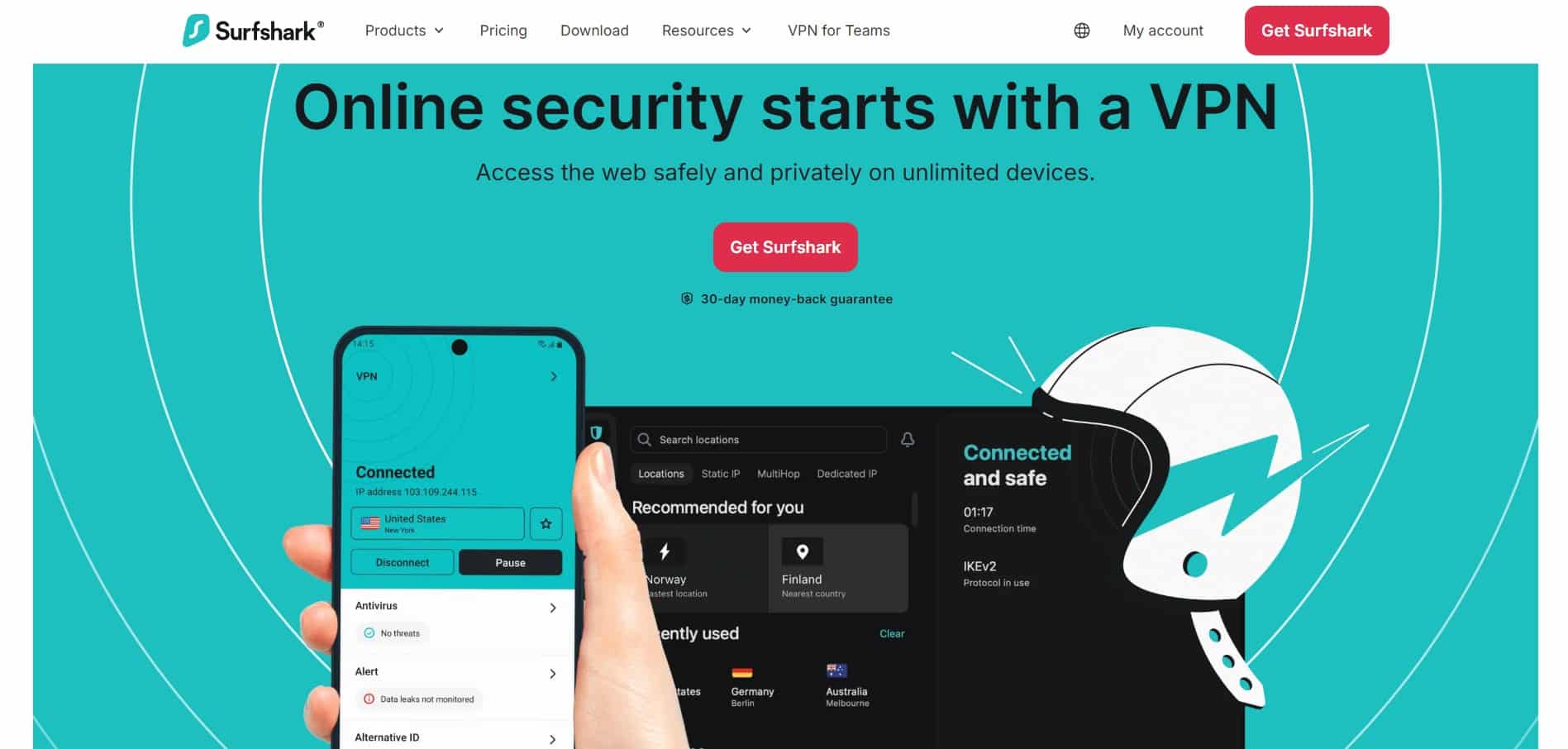
Surfshark debuted in 2018, closely modeling its service on long-standing VPN brands. The result was a highly reliable VPN with advanced features and more than 4,500 servers across 100+ countries, all at a highly affordable starting price of $3.49 AUD per month.
A single subscription also lets you use Surfshark on an unlimited number of devices. Larger families living down under or expat families wanting to keep accessing Australian media overseas will appreciate this unlimited allowance.
In my tests, Surfshark worked with 7plus and ABC iView. However, 10 Play gave me some trouble, so I recommend testing it yourself if this is your main priority. Its fastest Australian server averaged 37.38 Mbps across morning, midday, and afternoon tests, with only 1 Mbps between the best and worst result.
Surfshark Standard has all the VPN privacy features you would expect. NoBorders mode helps the VPN work on heavily restricted networks, while Rotating IP changes your address regularly without disconnecting you. You also get static IP locations, ad and tracker blocking, a kill switch, leak protection, diskless servers, and a solid no-logs policy that has been independently audited.
Pros
- Unlimited device connections
- Consistent Australian server speeds
- Works with 7plus, Kayo, Foxtel, and ABC iView
- Beginner-friendly apps
- NoBorders and Rotating IP tools
- Audited no-logs policy
Cons
- Frequently promotes paid upgrades
BEST BUDGET VPN FOR AUSTRALIA:Surfshark combines low pricing with unlimited connections and reliable Australian streaming access. It is especially good for large households and bargain hunters looking for bundles. Every plan includes a 30-day money-back guarantee.
3. Total VPN

Total VPN is the best option for Australians who also need antivirus protection. The VPN comes bundled at no extra cost with an antivirus that costs $129 AUD per year. That works out to $10.75 AUD per month for both services, and unlike most VPN deals, this is not an introductory price. The renewal cost stays consistent, which removes the need to cancel before the plan rolls over.
The VPN has servers in more than 90 countries, including four Australian locations. In my tests, it worked to access Netflix Australia, 7plus, Stan, and Kayo. It is also reliable for streaming international platforms such as Netflix USA, Hulu, HBO Max, Disney+, and BBC iPlayer. Its Australian servers averaged 33.6 Mbps on a 40 Mbps home broadband connection, which makes it suitable for data-intensive tasks such as gaming, videoconferencing, and HD streaming.
The VPN includes AES-256 encryption, protection against IPv6, DNS, and WebRTC leaks, and a kill switch that you access through the antivirus app rather than the standalone VPN. Apps are available for Windows, macOS, Android, and iOS. You can connect up to five devices at once.
Pros
- Bundled free with antivirus
- Fixed $129 AUD annual renewal price
- More than fast enough for streaming, gaming, and video calling
- Four Australian server locations
- Works with Netflix, 7plus, Stan, and Kayo
- Simple apps for everyday use
Cons
- Five-device connection limit
- Fewer advanced features than NordVPN or Surfshark
BEST VPN AND ANTIVIRUS BUNDLE:Total VPN is the VPN of choice for users looking for a VPN and antivirus protection. The $129 AUD annual price stays the same at renewal, making it easier to budget than VPN plans with steep introductory discounts. 30-day money-back guarantee.
4. Proton VPN

Proton VPN is a provider based in Switzerland and created by the team behind Proton Mail. The VPN has a solid no-logs policy and is protected by strong Swiss privacy laws. It also has a lot of advanced features, which make it good for sensitive use cases like torrenting.
In my tests, Proton VPN maintained lightning-fast speeds thanks to its VPN Accelerator technology. I clocked an average slowdown of just 20% across all three locations and times of day tested. This makes it an excellent choice for gaming, making video calls, or streaming in HD or 4K. There is also a free plan, which means you can test it risk-free.
However, please bear in mind that Proton VPN Free is limited to only a few server locations, and Australia isn’t one of them. The free plan is also much slower than the paid plan and is blocked from accessing popular streaming platforms like Netflix. You can certainly take it for a spin to get wifi or workplace privacy, but you’ll need a paid subscription for unlimited access.
Pros
- Port forwarding
- Split tunneling
- Fast torrent downloads
- Clearly labeled P2P servers
- Secure Core and VPN Accelerator
- Open-source and audited apps
Cons
- A few connection dropouts during testing
- Servers sometimes took longer to connect
- Ports can change when you reconnect
BEST AUSTRALIA VPN FOR ADVANCED USERS:Proton VPN is perfect for Aussies in need of advanced torrenting features, strong privacy options with hardened server locations, and fast performance for gaming and other data-intensive tasks. Every paid subscription includes a 30-day money-back guarantee.
5. ExpressVPN

ExpressVPN was first launched in 2009, which makes it one of the longest-established consumer VPNs. The VPN has servers in six Australian locations and more than 100 other countries. I checked the Aussie servers in Sydney and Melbourne and was able to watch regional services like Stan and Kayo Sports. It also provides access to geo-restricted services like the UK’s BBC iPlayer and America’s Paramount+.
Although ExpressVPN is highly trusted, with a strong history of providing privacy for millions of users globally, I still have one gripe. The VPN is a touch expensive on the Pro plan, but you get what you pay for thanks to the dedicated IP. And you still have the option to get the Basic plan if you want to, and it still has all the VPN features that most people need.
This caveat aside, the VPN is excellent. The apps passed my IPv6, DNS, and WebRTC leak tests. And you get a system-level kill switch that makes it reliable for private torrenting and other sensitive use cases. Just bear in mind that you don’t get port forwarding, and I could not use split tunneling and Lightway Turbo at the same time.
Pros
- Long-standing privacy reputation
- Works with Stan and international streaming services
- Fast and consistent performance
- Automatic obfuscation
- Beginner-friendly apps
- Passed my leak tests
Cons
- More expensive than my top picks
- No port forwarding
- Lightway Turbo cannot be used with split tunneling
EXCELLENT TRACK RECORD:ExpressVPN offers simple apps, strong privacy, and reliable streaming access. It costs more than my top picks, but its dedication to user privacy and polished apps make it a safe choice for beginners. Every plan includes a 30-day money-back guarantee to test it yourself.
6. IPVanish

IPVanish is a US-based VPN with servers in Adelaide, Sydney, Perth, Melbourne, and Brisbane. It is a strong option for Australians who want the ability to unblock platforms like 10 Play and Netflix Australia at work or while traveling overseas.
In my tests, IPVanish delivered fast and stable performance across Australia and international locations. This makes it suitable for streaming, gaming, video calls, and torrenting without excessive slowdowns. You also get unlimited connections, meaning you can use it at home, at work, on public wifi, and share it with friends and family.
The apps include a system-level kill switch, split tunneling, leak protection, and a SOCKS5 proxy, which is an excellent addition for users who like to torrent. The apps even display server ping and load, which makes it easier to pick the fastest server.
Finally, it is worth noting that although a few years ago some users complained that IPVanish disconnected regularly, this was not the case during my 2026 tests. The VPN was stable and gave me strong speeds throughout, making it easy to access 7plus, Kayo, and other services.
Pros
- Five Australian server locations
- Unlimited simultaneous connections
- Fast and stable performance
- SOCKS5 proxy support
- Split tunneling
- Displays server ping and load
Cons
- Based in the US
- No port forwarding
- No dedicated P2P servers
FEATURE-RICH VPN FOR AUSTRALIA:IPVanish offers unlimited connections, fast local servers, and useful extras like split tunneling and a SOCKS5 proxy. Annual plans include a 30-day money-back guarantee. You also get a wide choice of US servers, making it great for Aussies wanting to access Paramount+ UFC coverage and other American services. 30-day money-back guarantee.
Methodology: How I picked the best VPNs for Australia
I used the same testing criteria and methods for every provider, which allowed me to compare and rank all the VPNs fairly.
You can see the main criteria I used to rank the best VPNs for Australia below:
- Fast Australian servers, preferably with options in multiple cities such as Sydney, Melbourne, Adelaide, and Perth.
- Reliable access to 7plus, 10 Play, ABC iView, Stan, Kayo Sports, and Netflix Australia
- International servers that work to unblock more English-language streams around the world, including BBC iPlayer, Netflix US, Hulu, and Paramount+
- Fast speeds for streaming, gaming, video calls, and large downloads
- A reliable kill switch that prevents accidental IP leaks and stops your ISP from seeing your activities if the VPN drops out
- Secure encryption implemented inside trusted modern protocols such as WireGuard, OpenVPN, or an equivalent proprietary protocol
- A trustworthy no-logs policy, ideally backed by an independent audit
- Obfuscation or another way to get around VPN blocks at work, school, hotels, and on public wifi
- Useful torrenting extras such as split tunneling, port forwarding, or SOCKS5 support
- Apps for Windows, macOS, Android, iOS, and other popular devices
- Router support for smart TVs, game consoles, and devices that cannot run a VPN app
- Generous device limits or unlimited simultaneous connections
- Apps that are easy to use and that help users to understand individual privacy features or settings
- Value for money considered as a feature-to-cost ratio
If you want to know more about my testing and ranking process, check out our in-depth methodology article.
VPN not working in Australia: Troubleshooting
If your VPN is not unblocking a site, streaming service, or workplace restriction in Australia, try these steps:
- Change to a different Australian server. A quick IP change can often fix access to Kayo, Stan, 7plus, 10 Play, or ABC iView.
- Use the website instead of the app. Apps can use GPS or other location data that conflicts with your VPN.
- Open a private window. If that works, clear your cookies and cache to permanently remove the trackers that are causing a conflict with your VPN.
- Change VPN protocol. Try WireGuard for the best speeds, then OpenVPN or the provider’s custom protocol. On a strict network and having trouble connecting? Try obfuscated mode.
- Reconnect the VPN. This gives you a new IP address, which can help if the current one has been blocked by the service you are trying to access.
- Turn off device location. Streaming apps may compare GPS data with your VPN IP. Visiting a service via the website instead of using the mobile app can also bypass device-level identifiers and location signals that send conflicting signals.
- Check for IP or DNS leaks. A leak can expose your real Australian location or ISP. The VPNs I recommended all have a clean bill of health, but on occasion device-level differences could lead to a standalone issue you need to fix by contacting support or reinstalling the VPN.
- Try a nearby Australian city. Sydney, Melbourne, Brisbane, Perth, or Adelaide may perform differently. If speed is important, test a few locations.
- Check the kill switch. If your internet stops completely after a VPN dropout, restart the VPN and reconnect. A system-level kill switch can sometimes get stuck in the on position.
- Update the VPN app. An old version of the VPN app may lack newer configs or server addresses that work better.
- Contact live chat. All the VPNs I recommended offer world-class support, allowing you to ask questions and get help no matter what your issue might be.
Can I use a free VPN in Australia?
While we know it’s tempting to opt for a free VPN, it is important to understand free VPN limitations and restrictions. Free VPNs can be an excellent resource, and there is plenty of evidence that trustworthy free VPNs have provided netizens with privacy and accessibility during critical times of need. However, they are usually geared towards helping users get online securely in a pinch, not as a long-term solution.
Plus, studies have shown that many of the free VPNs advertised on app stores like Google Play are not so trustworthy. Many lack important privacy features, have ineffective encryption, suffer from leaks, monitor users, and have invasive privacy policies. Others collect user data for profiling and sell it directly to marketing companies, data brokers, and potentially even government agencies that are willing to pay.
Best VPNs for Australia: FAQs
Is using a VPN in Australia legal?
Yes. VPNs are legal in Australia, and millions of people use them for privacy, streaming, work, and travel. Just remember that a VPN does not make illegal activities legal. Use of a VPN should always be in a legal and ethical manner.
However, you should always check local laws, as nothing in this guide is meant as legal advice.
Can I get an Australian IP address using a VPN?
Yes. Just connect to a VPN server in Australia, and your real IP address is replaced with an Australian one. This lets you access Aussie websites and services from abroad while keeping your actual location private.
What else can I do with a VPN for Australia?
A VPN lets you access pretty much any popular region-locked Australian service from abroad, including SBS On Demand, BINGE, Foxtel Now, Foxtel GO, local sports coverage, news videos, and Australian radio streams.
You can also use it to get an Aussie IP address for websites that change their content or availability depending on your location, for example, to continue using Aussie shopping services or to see Aussie Google search results while lying by the pool on vacation.
A VPN also provides you with privacy, which makes it impossible for local networks and ISPs to watch what you are doing (yes, even the bill payer on a home network could see what websites you visit unless you use a VPN, so you must protect yourself).
A VPN also protects you against poorly implemented public wifi hotspots and Evil Twins set up by hackers.
Contents [hide]
- How to use a VPN in Australia
- Best VPNs for Australia
- 1. NordVPN
- 2. Surfshark
- 3. Total VPN
- 4. Proton VPN
- 5. ExpressVPN
- 6. IPVanish
- Methodology: How I picked the best VPNs for Australia
- VPN not working in Australia: Troubleshooting
- Can I use a free VPN in Australia?
- Best VPNs for Australia: FAQs
- Is using a VPN in Australia legal?
- Can I get an Australian IP address using a VPN?
- What else can I do with a VPN for Australia?