
Crunchyroll is the most popular streaming service for watching the latest anime and reading full volumes of manga. However, because Crunchyroll’s largest library of content is geo-restricted to the United States, US viewers will lose access to the US library if they travel internationally. Anime fans from the States can avoid losing access to their favorite shows and movies by simply connecting to a Crunchyroll VPN.
A VPN – short for Virtual Private Network – sends your internet traffic through an encrypted tunnel and routes it through an intermediary server before it reaches the website you want to access. Your device’s IP address reveals the location of the device, so the server will need to be located in the country where your desired content is available in order to successfully bypass Crunchyroll’s proxy detection systems. US citizens traveling to Japan, for instance, will lose access to the Crunchyroll US library unless they acquire an American IP address by connecting to a VPN server located in the United States.
While VPNs are great for streaming international content, their fundamental purpose is to protect your privacy online. The encryption prevents your internet traffic from being monitored by your internet service provider, advertisers, and malicious third parties potentially lurking on public WiFi networks.
In this article, I explain what makes each of these eight VPNs ideal for streaming Crunchyroll abroad. If you want to cut to the chase, here is a summary of my top selections.
Best VPNs for Crunchyroll:
- NordVPN: My #1 Crunchyroll VPN! This veteran VPN provider has offered top-notch security and fast connection speeds since its launch in 2012. Includes a 30-day money-back guarantee so you can try it risk-free.
- Surfshark: This is the best budget option for Crunchyroll. Even though this option is affordable, it offers high speeds and strong security measures. It also offers an unlimited number of connections.
- ExpressVPN: Popular option for users focused on streaming. Offers a wide network of fast servers that can reliably stream HD video on Crunchyroll with little to no buffering. Solid security features.
- CyberGhost: This VPN’s easy-to-use interface makes it an ideal choice for beginners. High-quality speed and security for a low price. Works great with Crunchyroll.
- PrivateVPN: A newer, smaller VPN service that offers fast streaming speeds with a privacy-focused approach.
- IPVanish: A favorite among torrenters and Kodi users for its remote-friendly interface. Self-owned server network and offers unlimited simultaneous connections.
- Private Internet Access (PIA): An efficient, lightweight VPN that is more than capable when it comes to streaming. It is a good option for Crunchyroll.
- Atlas VPN: A fast VPN that also provides strong security. It has no connection limit and is a sound option for streaming and Crunchyroll.
The best VPNs for Crunchyroll
There’s an almost endless number of VPN services on the market today, but not all VPNs are sufficient for streaming international content in high definition. I made my top selections based on the following criteria:
- Plenty of servers located in the US
- Ability to bypass regional restrictions on Crunchyroll
- Fast and consistent connection speeds
- Strong standards of security and encryption
- Apps for desktop and mobile devices
- Ease of use
For more detailed information about the criteria I used, make sure you check out the testing methodology section found further down this article.
Here’s my list of the best VPNs for Crunchyroll:
1. NordVPN
NordVPN has built its reputation on a product that meets the highest standards of performance and security. It operates one of the largest server networks on the market covering more than 5,400 servers in 60+ countries around the world, including over 2,000 in the United States alone. Its servers are capable of accessing geo-restricted streaming services such as Crunchyroll, Netflix, Amazon Prime Video, and Disney+. NordVPN provides an allowance of six simultaneous connections so you can protect most or all of your devices at once.
NordVPN uses industry-standard 256-bit AES encryption to protect your traffic from snooping third parties. Its other security features include perfect forward secrecy, leak protection, and a kill switch that halts all traffic flowing through your device in case of a sudden loss of connection to the VPN, which will prevent you from using the web without encryption. NordVPN offers servers optimized for specialty functions including Tor over VPN, double VPN, and servers with dedicated IPs. NordVPN’s strict no-logs policy means that the company doesn’t record your online activities or personally identifiable information of any kind.
NordVPN apps are available for desktop and mobile devices, including Windows, macOS, iOS, Android, and Amazon Fire TV. Linux and supported routers require manual configuration.
Pros:
- Unblocks most streaming platforms including Crunchyroll
- Exceptional speeds
- About 2,000 servers in the US
- Highest standards of security
- 24/7 customer support
- 30-day money-back guarantee
Cons:
- Server selection is based on city, not individual server (except in the Windows app)
BEST VPN FOR CRUNCHYROLL:NordVPN is my number one choice for securely watching Crunchyroll. Streams at incredible speeds with little to no buffering. Try it out with its risk-free 30-day money-back guarantee.
2. Surfshark
Surfshark is a great option for streaming. It is affordable, has servers in over 95 countries, in excess of 3,200 servers, and offers fast connection speeds for a lag-free streaming experience. Its streaming prowess makes it a great choice for use with Crunchyroll.
In addition to being good for streaming, Surfshark has strong security measures in place. These include 256-bit AES encryption, protection against WebRTC, IPv6, and DNS leaks, and a kill switch that shuts off your internet connection in the event that your VPN connection drops out. There is also an option for traffic scrambling. This provider also accepts cryptocurrency payments that add a layer of anonymity to payments for the service, as your name isn’t associated with it – unlike with a traditional credit card payment. Surfshark’s customer service team is available 24/7 via live chat as well, making sure that you have access to knowledgeable personnel who can assist you if you need it.
Surrfshark apps are available for Windows, macOS, iOS, Linux, and Android. Some routers can also be manually configured to work with this service. You can also connect an unlimited number of devices at once.
Pros:
- Can provide access to many services including Crunchyroll
- Fast connection speeds
- Strong security measures in place
- Supports an unlimited number of connections
- Accepts cryptocurrency payments
Cons:
- Doesn’t have as many servers as NordVPN
- Some servers can occasionally be slow
BEST BUDGET VPN FOR CRUNCHYROLL:Surfshark is a solid option when it comes to streaming. This makes it a good match for Crunchyroll. In addition, it also ensures that users are protected online with its strong security measures. It’s also a good option for households and those with several devices since it supports an unlimited number of connections. This service comes with a 30-day money-back guarantee.
3. ExpressVPN

ExpressVPN is a popular choice for streaming-focused users due to its network of more than 3,000 servers in 94+ countries around the world, including 14 locations in the US, which are capable of unblocking just about anything. It can stream at HD resolutions and lift geo-restrictions on Crunchyroll, Amazon Prime Video, BBC iPlayer, and others. You can stream on up to five devices at once with a single subscription.
ExpressVPN’s streaming capabilities are excellent, but it doesn’t compromise on security, either. It uses 256-bit AES encryption with perfect forward secrecy to secure your communications, and comes with a kill switch to prevent you from using the internet without protection. ExpressVPN collects some non-identifying data on you, such as the date (but not the time) of your connection to the VPN server and the amount of bandwidth consumed, but nothing that could reveal your identity. For particularly privacy-conscious users, ExpressVPN accepts payments in Bitcoin for anonymous registration.
Apps are available for Windows, macOS, iOS, Android, and Amazon Fire TV; Linux and some routers must be configured manually to work with ExpressVPN.
Pros:
- Ideal speeds for HD streaming
- Servers in 14 US cities
- Reliably unblocks most major streaming platforms
- Strong security features
- Easy-to-use apps
Cons:
- Relatively expensive
- Streaming servers aren’t clearly labeled
GREAT STREAMING PERFORMANCE:ExpressVPN’s large network of fast servers makes it ideal for streaming from abroad. User-friendly apps for all operating systems and comes with a 30-day money-back guarantee.
4. CyberGhost
CyberGhost is my recommendation for VPN beginners because of its easy-to-use apps. CyberGhost is designed to match you with a specialized server based on your planned activities, which includes servers optimized for individual streaming platforms, as well as security-oriented servers. It runs the largest server network on this list with more than 8,800 servers spread across 91+ countries and includes more than 1,200 in the United States alone. CyberGhost is capable of accessing Crunchyroll, Netflix, Hulu, and other major streaming services.
Its robust security features make CyberGhost great for experienced and novice users alike. It uses 256-bit AES encryption on the OpenVPN protocol by default and features a kill switch, an ad/malware blocker combo, and protection against IPv6, DNS, and port forwarding leaks. CyberGhost collects no logs on user data so none of your online activities can be traced back to you, and it is based in Romania where the company is not subject to data retention laws. I would keep an eye on its privacy policy in case its recent change in management results in a change in privacy practices, but so far CyberGhost remains a secure VPN.
CyberGhost provides apps for Windows macOS, iOS, Android, and Amazon Fire TV. Linux and routers require manual configuration.
Pros:
- Remarkable HD streaming speeds
- Lifts restrictions on Crunchyroll
- Over 1,200 US servers
- Intuitive apps are perfect for beginners and advanced users alike
- No logs, strong security
Cons:
- Doesn’t work in China or the UAE
GREAT FOR NOVICE USERS:Easy to use, fast connection speeds, and security you can count on. Largest server network on this list. Its 45-day money-back guarantee lets you try it out risk-free.
5. PrivateVPN

PrivateVPN is a small VPN provider with just over 200 servers. Despite its small network, it does have locations in around 60 countries. This makes it easy for viewers to access the Crunchyroll library that corresponds to their territory with no hassle.
Security measures with PrivateVPN include 256-bit AES encryption and protection from IPv6, WebRTC, and DNS leaks. This provider also accepts cryptocurrency payments and stores no logs. With these measures in place, users are kept secure while online.
PrivateVPN apps are available for Windows, macOS, iOS, and Android. Linux and routers can be manually configured to work with this service. PrivateVPN also has an excellent customer service department too. However, note that the customer service team is only available during regular business hours.
Pros:
- Can access Netflix along with many other streaming sites
- Fast speeds
- No logs stored
- Strong security and privacy measures in place
Cons:
- Small server network
- Live chat is not available 24/7
PRIVACY FOCUSED OPTION:PrivateVPN puts a lot of focus on protecting its users with measures such as strong encryption in place. It’s also a fast VPN that works with many different services, including Crunchyroll, without buffering.
6. IPVanish

IPVanish owns its entire network of servers and data centers instead of renting them, which means you will enjoy reliable connection speeds and no data exposure to third parties. 1,100 of its 2,000+ servers are located in the United States. It streams HD video with fast server speeds but can struggle to unblock some popular streaming services.
This provider allows torrenting and provides a remote-friendly interface popular among Kodi users. This VPN is one of the few services to allow an unlimited number of simultaneous connections, so you will be able to secure every device in your household.
IPVanish stores no logs of your online activities and uses industry-standard 256-bit AES encryption to secure your data. It comes with a variety of other security features such as LAN traffic blocking, a kill switch, periodic IP address switching, OpenVPN obfuscation, and support for multiple VPN protocols including OpenVPN, WireGuard (beta only), and IKEv2.
It includes apps for Windows, macOS, iOS, Android, and Amazon Fire TV. Linux and some routers are supported, but require manual configuration.
Pros:
- 1,100 servers in the United States
- Remote-friendly interface for Kodi users
- Fast, secure, and independently-owned server network
- Keeps no logs, has an automatic kill switch and WiFi protection
Cons:
- Claims 24/7 support, but tickets can take one or two days
- Doesn’t work in China
- Has difficulty unblocking some streaming services
UNLIMITED DEVICES:IPVanish has a large network of servers and lets you secure every device you own. Easy to use and preferred by users who need a high level of security. Can’t unblock as many streaming services as some of its rivals. Comes with a 30-day money-back guarantee.
7. Private Internet Access
Private Internet Acces (PIA) is a great lightweight option for users who enjoy streaming, including those who are Crunchyroll users. This VPN provider is able to give users fast streaming capabilities, in part thanks to its use of the efficient and fast WireGuard VPN protocol. In total, PIA has servers in over 80 countries. This allows users to access servers in many locations, allowing them to unblock content that may be restricted in their current location.
In addition to being a good option for streaming, PIA also offers strong security measures. These security measures include AES 256-bit encryption, a kill switch, and split tunneling. All of these measures help to keep users safe while online.
PIA provides apps for macOS Windows, Linux, iOS, and Android. This service’s customer service team is available 24/7 via their live chat, providing users with useful assistance whenever it is needed. Subscribers are allowed 10 simultaneous subscriptions.
Pros:
- Strong security measures are in place
- PIA provides secure access to many streaming services
- The WireGuard VPN protocol is used which is faster and more efficient than other VPN protocols
- Several customization options are available
Cons:
- PIA doesn’t work in China
- The app design could use some improvement
LIGHTWEIGHT OPTION:PIA is lightweight and efficient. It is a good option for streaming since it has decent speeds and can provide secure access to many streaming services. Subscriptions come with a 30-day money-back guarantee.
8. Atlas VPN
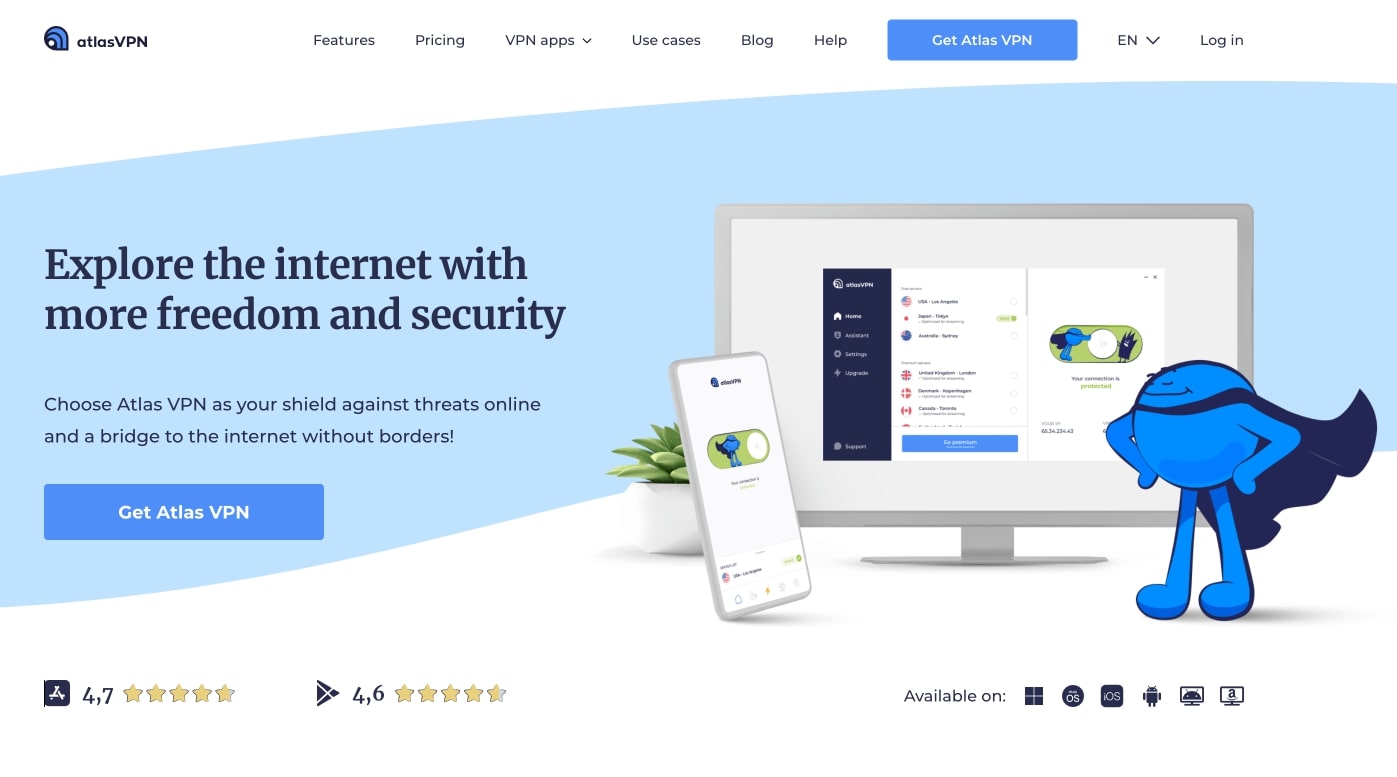
Atlas VPN has over 750 servers in 40 locations. It has a network of fast VPN servers that are a great option for streaming content from platforms such as Crunchyroll.
Strong security measures are in place such as 256-bit AES encryption, a kill switch, and protection against DNS, WevRTC, and IPv6 leaks. No logs are stored by Atlas VPN either. There is even an option for MultiHop servers, which encrypt your connection twice for added security.
Atlas VPN has apps for Windows, macOS, Android, and iOS. This VPN supports an unlimited number of connections.
Pros:
- Provides secure access to several streaming services
- Fast connection speeds
- MultiHop servers encrypt data twice
- No identifying logs are save
Cons:
- Doesn’t function in China
- Customer service could use some improvement
FAST AND SECURE STREAMING:Although it is a smaller VPN provider, Atlas VPN doesn’t skimp on quality. It provides fast streaming speeds and strong security measures. It comes with a 30-day money-back guarantee.
Methodology: How I found the best Crunchyroll VPNs
Not every VPN works with Crunchyroll, and even some that do aren’t the best products. I used my thorough VPN testing process to identify the very best Crunchyroll VPNs. Here are some of the things I looked for:
- Server network: The server network is incredibly important with any Crunchyroll VPN. It means that, even during busy periods, the servers aren’t overloaded. It also means that you can connect to servers across the world and access geo-restricted content.
- Fast speeds: You will need a reliable connection to stream content, and unfortunately, some VPNs can slow you down. My speed tests identify only the fastest VPNs that are suitable for streaming, gaming, and downloading.
- Tight security: The internet is packed with threats, especially if you connect to a public WiFi network. This is why it’s important that a VPN has good security tools. Some of the security and privacy features I look for include encryption, a kill switch, and a no-logs policy.
- Device compatibility: A VPN with good compatibility will let you watch Crunchyroll on your phone, tablet, or computer. I check which apps are available, and whether or not a VPN works on popular devices and operating systems before recommending it to my readers.
- Value for money: It’s not all about the cheapest VPN, but also which gives you the most value for money. This includes things like free trials and money-back guarantees. I only recommend the VPNs that give you the most bang for your buck.
How to watch Crunchyroll from anywhere
If you’ve never used a VPN before, don’t be intimidated – anyone can set up a VPN in minutes. Just follow the steps below to unblock Crunchyroll’s content libraries while traveling internationally.
- Subscribe to a VPN mentioned on this list. I recommend NordVPN.
- Download the app for your preferred device from the VPN provider’s website.
- Log in to the VPN app and select a server located in the United States.
- Once the connection has been established, open your browser and play a video on Crunchyroll to test the connection. You may have to try out a few different servers before you find one that works because streaming platforms regularly blacklist VPN servers. You may also need to clear your cache and cookies to remove any location identifiers that might be lingering on your device. If problems persist, contact your VPN provider’s customer support.
Crunchyroll VPN FAQs
Should I use a free VPN for Crunchyroll?
Free VPNs are understandably popular among those who want to secure their online privacy without breaking the bank, but I suggest asking the following question next time you check out a free VPN: how are free VPN providers making their money?
The absence of subscription costs can lead to free providers making a profit through less transparent means, usually ones that involve compromising your privacy. Some free services have a reputation for tracking their users’ online activities and selling records of user data to third-party advertisers without making this known upfront. Remember that signing up for a free VPN is the “consent” to having your data tracked – you become the product when you use a free online service, not the client. Furthermore, free VPNs will most likely load your browser with intrusive advertisements and may even spread malware.
Performance suffers just as much as security when it comes to free VPNs. These companies usually can’t afford to own more than a couple of VPN servers capable of offering fast and stable connection speeds. The problem worsens when its free service attracts a large enough volume of users to overwhelm the limited server infrastructure, resulting in slow speeds and dropped connections for everybody. Streaming HD video with a free VPN is virtually impossible.
Although I’m often tempted to save my money with a free VPN, I know that high-quality performance and security are simply not available from free services. If the financial burden troubles you, you can always take advantage of the guaranteed refunds included in every VPN on this list.
Is Crunchyroll free?
Yes, some Crunchyroll content is available for free, but free viewers have to sit through ads and settle for lower streaming resolutions. Crunchyroll offers multiple premium plans to choose from, including unlimited access to its full library of anime and manga, no ads, and access to brand new episodes just one hour after their original broadcast in Japan.
What can I watch on Crunchyroll?
Crunchyroll focuses more on TV series than feature films and includes popular series such as:
- My Hero Academia
- Naruto
- Fullmetal Alchemist
- Fire Force
- Hunter x Hunter
Will a VPN slow my Crunchyroll streaming?
The best VPNs on the market will either produce no noticeable difference in performance or even make your connection faster if you suffer from bandwidth throttling. With that said, some VPNs can slightly reduce your connection speeds due to the encryption, and servers far away from you tend to be slower than closer ones.
No, you can only access premium content on Crunchyroll by paying for it. However, a VPN will let you retain access to Crunchyroll if you’re a paying subscriber traveling outside of the US. Crunchyroll blocks devices with IP addresses based in other countries in order to uphold the conditions of its licensing agreements, which unfortunately blocks out US viewers paying full price while traveling internationally.
Contents [hide]
- The best VPNs for Crunchyroll
- 1. NordVPN
- 2. Surfshark
- 3. ExpressVPN
- 4. CyberGhost
- 5. PrivateVPN
- 6. IPVanish
- 7. Private Internet Access
- 8. Atlas VPN
- Methodology: How I found the best Crunchyroll VPNs
- How to watch Crunchyroll from anywhere
- Crunchyroll VPN FAQs
- Should I use a free VPN for Crunchyroll?
- Is Crunchyroll free?
- What can I watch on Crunchyroll?
- Will a VPN slow my Crunchyroll streaming?
- Can I use a VPN to unblock a premium Crunchyroll subscription?